
Understanding RAID Controllers: A Data Recovery Perspective
In this article
A RAID controller is the hardware or software that manages a group of drives and presents them to your computer as one logical volume. It enforces the chosen RAID level by handling striping, mirroring, and parity. It also holds the proprietary blueprint (disk order, stripe size, parity rotation) that maps your data across the drives.
- Hardware RAID: a dedicated card with its own processor and cache
- Software RAID: the OS does the work (Windows Storage Spaces, mdadm, Disk Utility)
- If the controller fails: the drives hold a jumble of blocks; recovering it needs professional RAID data recovery
Think of a RAID controller as the conductor of an orchestra. You have a group of individual musicians - your hard drives or SSDs - and the conductor’s job is to make them all play together in perfect harmony. In a data recovery lab, we see what happens when the conductor falters: the result is chaos, and without the right expertise, the performance - your data - is lost.
What Is a RAID Controller and Why Is It So Important for Data Integrity?

A RAID controller is the specialized hardware or software that manages the drives in a Redundant Array of Independent Disks (RAID). It takes a group of separate physical drives and presents them to your computer's operating system as a single, logical volume. To your PC or server, it's just one drive; behind the scenes, the controller is executing complex operations to enhance performance and protect against drive failure.
This component is what puts the "RAID" into your RAID array. It’s responsible for enforcing the rules of your chosen RAID level, which dictates how your system balances read/write speed, data redundancy, and total storage capacity.
The Core Functions of a RAID Controller
A RAID controller is constantly juggling three key tasks to keep your array running and your data safe. Understanding these functions is critical to grasping why a controller failure is so different from a simple drive failure.
Here’s a breakdown of a RAID controller's main responsibilities.
RAID Controller Core Functions at a Glance
| Function | What It Does | Primary Benefit |
|---|---|---|
| Data Striping | Splits data into chunks and writes them across multiple drives at once. | Performance |
| Data Mirroring | Creates an exact, real-time copy of your data on a separate drive. | Redundancy |
| Parity Calculation | Generates special "checksum" data to rebuild information if a drive fails. | Efficiency & Redundancy |
Let's unpack what these functions mean in practice.
Data Striping (Performance): To accelerate performance, the controller splits data into small pieces and writes them to multiple drives simultaneously. This parallel operation dramatically increases read and write speeds, which is essential for demanding applications.
Data Mirroring (Redundancy): For maximum data protection, the controller writes an identical copy of everything onto a second drive in real time. If one drive fails due to a mechanical or electrical issue, the other is ready to take over instantly with no downtime or data loss.
Parity Calculation (Efficiency & Redundancy): Used in popular levels like RAID 5 and RAID 6, parity is an efficient way to protect data without doubling your drive count. The controller calculates a small piece of "parity" data - a mathematical checksum - from a stripe of data blocks. If one drive fails, the controller uses the data from the remaining drives plus the parity information to perfectly reconstruct the missing information.
From a data recovery standpoint, the controller holds the blueprint for how your data is organized. If the controller fails, the drives themselves just hold a jumble of data blocks. Without the controller's specific logic, trying to piece that data back together with standard software is nearly impossible.
The concept of RAID was first proposed in a 1987 paper from UC Berkeley, but it's more relevant than ever. With the explosion of data generated by cloud computing and AI, the global RAID controller market is expected to hit US$4.5 billion by 2033. This growth shows just how foundational this technology is to our digital world and why expert recovery knowledge is crucial when it fails. You can learn more about these trends by reviewing the full research on the RAID controller market.
Hardware RAID vs. Software RAID From a Data Recovery Perspective
When setting up a RAID array, one of the biggest choices is between hardware and software RAID. This decision impacts performance and cost, but from our perspective in the data recovery lab, it creates two completely different puzzles to solve when an array fails.
A hardware RAID controller is a dedicated card installed in a server or workstation. It has its own processor (a RAID-on-Chip or ROC) and memory, allowing it to manage all RAID calculations without using the host computer's CPU. This is why it’s the standard for mission-critical enterprise systems.
Software RAID, on the other hand, uses the computer’s own operating system and processor to do the work. Common examples include Windows Storage Spaces, Apple’s Disk Utility, and mdadm on Linux. Since it’s often built into the OS, there's no extra hardware to buy, making it a popular choice for simpler setups.
For data recovery, the fundamental difference is this: a hardware controller failure is a self-contained hardware problem. A software RAID failure is a logical mess, deeply tangled with the operating system itself.
Performance and Why It Matters for Recovery
When it comes to raw speed and reliability, hardware RAID is the undisputed champion. Its dedicated processor handles complex parity calculations for RAID 5 and RAID 6 without slowing down your applications.
Many hardware controllers also have a crucial safety feature: a Battery Backup Unit (BBU) or supercapacitor. This powers the controller's onboard cache - a small, fast memory bank that holds data before it’s written to the disks. If power is suddenly lost, the BBU keeps that cache alive, preventing data in transit from being lost or corrupted. Software RAID has no physical defense like this, making it more vulnerable to corruption from unexpected shutdowns.
This performance and reliability advantage is why hardware RAID is expected to command a dominant 65% market share by 2026. The massive data centers in North America, which make up nearly 40% of the global market, rely on it. You can see more trends in this RAID controller market research. When these high-stakes systems fail, labs like ours at MDRepairs become the last line of defense.
Comparing Hardware RAID, Software RAID, and HBAs
To put it all in perspective, it helps to see these technologies side-by-side. We also need to include a third category, the Host Bus Adapter (HBA), which is often confused with a hardware RAID controller. An HBA is a simple "pass-through" card that just connects drives to the motherboard, leaving all RAID logic to the OS (like with ZFS) or for drives to be used individually.
Here’s a breakdown of how they stack up from a recovery standpoint:
| Feature | Hardware RAID Controller | Software RAID | Host Bus Adapter (HBA) |
|---|---|---|---|
| Performance | Highest; dedicated processor handles all RAID calculations. | Lower; uses system CPU and resources, can slow down the OS. | N/A (pass-through); performance depends on the drives and OS. |
| Cost | Highest; a dedicated, specialized piece of hardware. | Lowest; often built into the operating system for free. | Low to Moderate; simpler and cheaper than a RAID controller. |
| Complexity | High; requires configuration through controller's BIOS/firmware. | Low; managed through the operating system's user interface. | Low; typically plug-and-play, with no RAID logic to configure. |
| Recovery Difficulty | High; requires reverse-engineering proprietary controller metadata. | Moderate to High; depends on OS corruption and user error. | Varies; recovery focuses on individual drives or software RAID config. |
Ultimately, hardware RAID is for mission-critical performance, software RAID is for flexibility and cost-savings, and an HBA is for simply connecting a lot of drives that will be managed by software.
What This Means for Data Recovery
In the lab, the path to recovery diverges completely based on the RAID type.
When a hardware RAID controller fails, the data on the individual drives is usually intact. The problem is that the "map" defining how that data is structured is gone. The controller's proprietary firmware holds the disk order, block size, and parity pattern. Our job becomes a forensic exercise in virtually rebuilding that controller's logic to recover the data.
A software RAID failure is almost always a logical issue. Common causes include:
- OS Corruption: A failed update or system crash can damage the metadata the OS uses to track the array.
- Accidental Reconfiguration: It’s surprisingly easy to accidentally delete or reformat a software array from within disk management tools.
- Driver Problems: A buggy storage driver can make the array disappear from the system.
The danger here is users often try to "fix" the problem themselves with tools like CHKDSK. These utilities can overwrite the very metadata we need, making a professional recovery far more difficult. If you're in this situation, our teams, including the experts at our Texas data recovery lab location, can provide a safe diagnosis.
No matter the type, if your operating system can't see the array, stop. Standard data recovery software will not work because it needs a recognized volume to scan. The safest next step is to power everything down and consult a professional.
How Controllers Execute Different RAID Levels
Think of a RAID controller as the project manager for your storage drives. It doesn't just see a bunch of individual hard drives; it sees a team. Its job is to organize that team according to a specific game plan - the RAID level you've chosen.
How the controller executes that plan is what determines your array's performance and data safety. Each RAID level has its own rules for handling data, and the controller is the enforcer.
Let's break down how this works for the most common RAID setups.
RAID 0 for Maximum Speed
With RAID 0 (striping), the controller's only goal is raw speed. When you copy a large file, the controller splits it into small chunks and writes those chunks to all the drives in the array at the same time.
- Each drive handles a small piece of the file simultaneously.
- The result is a massive boost in write speed, as you're using the combined performance of all drives.
This is fantastic for performance but comes with a massive risk: there is no redundancy. If even one drive in a RAID 0 array fails, the entire array is lost. That one missing piece makes all data unreadable. From a recovery standpoint, a single drive failure in RAID 0 means all data is gone.
RAID 1 for Simple Redundancy
In RAID 1 (mirroring), the controller’s priority shifts from speed to absolute data safety. It creates an exact, real-time copy of your data on a second drive.
- Every time you save a file, the controller writes identical data to two drives at once.
- If one drive fails, the system continues running off the mirrored copy with no data loss or downtime.
The trade-off is that you lose half of your total storage capacity - two 4 TB drives in RAID 1 give you only 4 TB of usable space. For critical data, that peace of mind is often worth the cost.

As the diagram shows, hardware RAID relies on a specialized processor, while software RAID uses the computer's main CPU. This choice has big implications for performance and, more importantly, for the complexity of data recovery when things go wrong.
RAID 5 for Balanced Protection and Efficiency
RAID 5 represents a clever balance of performance, capacity, and redundancy. The secret sauce here is parity.
Think of parity as a mathematical checksum.
- The controller stripes data across the drives, similar to RAID 0.
- For each stripe of data, it also calculates a special "parity block."
- It then writes both the data and the parity block across all the drives, rotating which drive holds the parity information.
If one drive fails, the controller can use the data on the surviving drives along with the parity information to perfectly rebuild the lost data onto a replacement drive. This provides redundancy while only sacrificing the capacity of one drive.
RAID 10 Combining Speed and Mirroring
Finally, there's RAID 10 (or RAID 1+0), which offers the best of both worlds. The name says it all: it's a "stripe of mirrors."
Here, the controller first pairs up drives into mirrored sets (RAID 1) for redundancy. Then, it stripes the data across all of those mirrored pairs (RAID 0) for a huge speed boost. You get the incredible performance of striping plus the excellent data protection of mirroring, making it a go-to for demanding applications like busy databases.
The Controller Holds the Blueprint
In every case, the RAID controller is the keeper of the blueprint - the map that shows how your data is organized across the drives. If that controller fails, it’s like the architect's plans for a building vanishing. The drives themselves just become a jumble of data blocks with no context. Without that original blueprint, it takes a data recovery professional with specialized tools to reverse-engineer the structure and recover your data.
Common RAID Controller Failure Symptoms
In the data recovery lab, we’ve learned that RAID controllers rarely fail quietly. Their failure often produces distinct and frightening symptoms that can look like multiple hard drives have died at once. Knowing how to spot the difference is crucial for a successful recovery.
A healthy RAID array is invisible to your computer’s operating system - it just sees one big, reliable disk. But when the controller starts to fail, that stable illusion shatters.
Electrical and Physical Failures
The most dramatic failures are almost always electrical. A power surge, a failing power supply unit (PSU), or simple component degradation can damage a RAID controller.
- The Array Suddenly Vanishes: This is the most common sign. You boot the server, and the controller's BIOS no longer detects the array. The operating system loads and reports the entire volume is missing.
- System Won't Boot at All: A severe controller failure can create an electrical short on the motherboard’s PCIe slot, preventing the computer from passing its initial Power-On Self-Test (POST).
These failures are typically sudden and catastrophic. There is usually no warning.
Firmware and Logical Failures
Sneakier, and often more dangerous, failures are rooted in the controller’s firmware - the software that tells the controller how to manage the array. When this gets corrupted, it can make catastrophically wrong decisions with your data. This often happens after a botched firmware update, when the controller's cache memory gets corrupted, or due to a latent bug.
The Single Most Important Warning Sign: If the controller suddenly flags multiple healthy drives as "failed" or "offline" all at once, the problem is almost certainly the controller itself. It is incredibly rare for two or more drives to fail mechanically at the exact same time. Trying to "rebuild" the array in this situation is a recipe for disaster and can permanently destroy your data.
Symptoms of a firmware or logical failure often include:
- Multiple Drives Marked as Failed: The management utility suddenly reports that two, three, or even all drives in the array are dead.
- Widespread Data Corruption: You start seeing unreadable files or constant I/O (Input/Output) errors. This can point to a faulty controller cache that’s scrambling data before it's even written to the disks.
- Array Becomes "Unconfigured" or "Foreign": The controller completely forgets its configuration and may prompt you to initialize a "new" array - a command that would wipe everything.
Even in well-maintained data centers, hardware failures impact 1% to 5% of enterprise arrays every year. When a RAID controller on a critical RAID 10 array dies, for example, the redundancy is gone. In these scenarios, MDRepairs uses firmware-level tools and clean-room environments to recover the data, working under a no data, no charge policy. To learn more about this market, you can read the full research on high-density RAID controllers.
What Should You Do Next?
If you see any of these symptoms, the most critical step is to power down the system immediately.
Do not attempt to fix the problem. Running disk utilities like CHKDSK or fsck can turn a recoverable situation into permanent data loss. These tools are designed for single disks and will misinterpret an array failure, causing irreparable damage. The safest move is to have the device professionally evaluated. Our nationwide mail-in diagnostics can find the root cause without putting your data at further risk.
Why Your Controller Model Dictates the Recovery Strategy
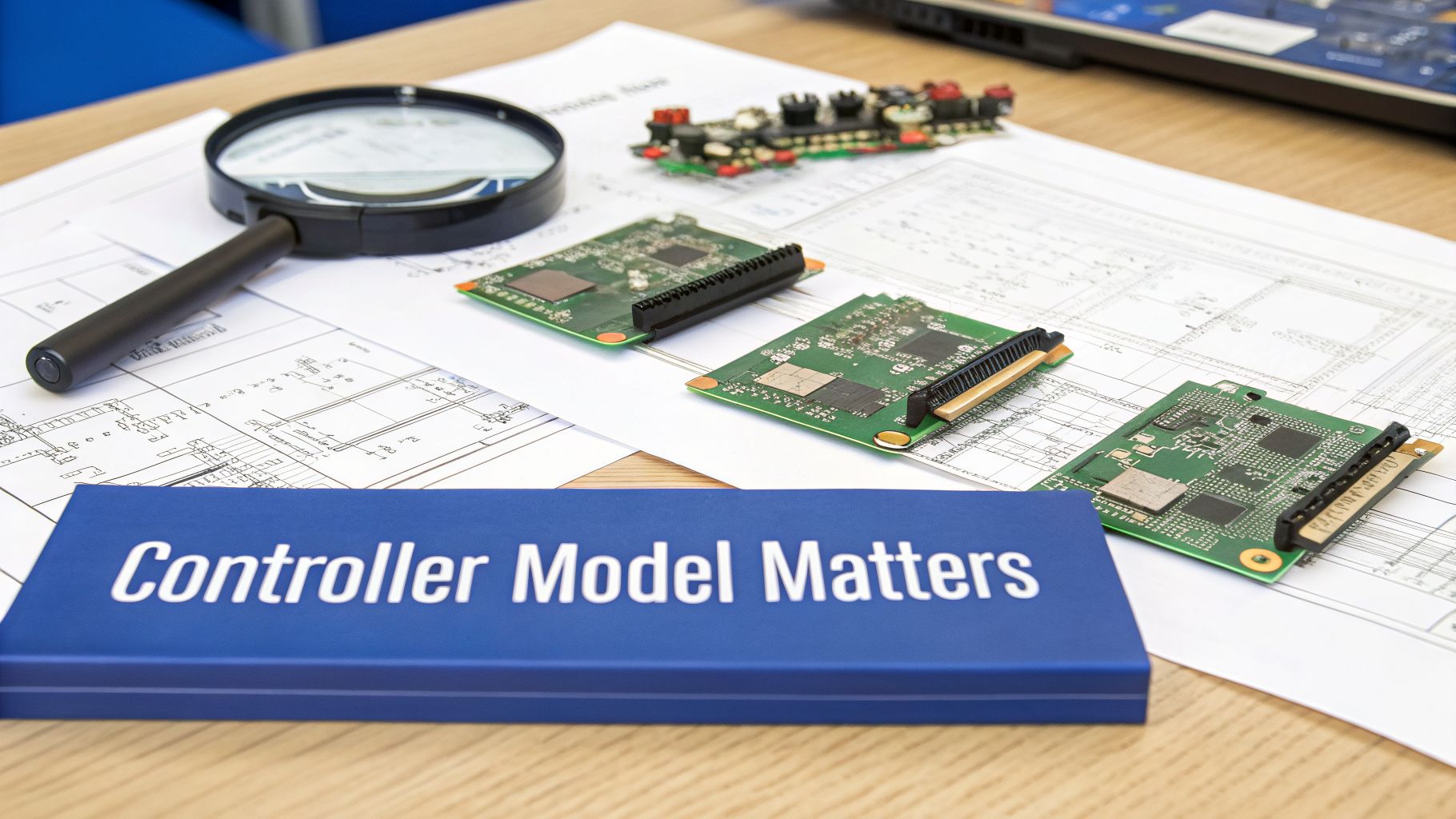
When a RAID array fails, the single most critical piece of the puzzle isn't a drive - it's the RAID controller itself. Controller manufacturers like Broadcom (LSI), Dell (PERC), or HP (Smart Array) all use their own private, proprietary blueprints for organizing data.
This has profound consequences for data recovery.
Every Controller Speaks a Different Language
To assemble an array, every RAID controller follows a specific recipe - a unique set of rules that determines how data is written across the drives. Without knowing that exact recipe, recovery is impossible. The most crucial parameters are:
- Disk Order: The logical sequence of the drives in the array, which often doesn't match the physical slot numbers.
- Stripe Size: The size of each data chunk written to a single drive (e.g., 64KB, 256KB).
- Parity Rotation: For RAID 5 and 6, the specific pattern the controller uses to distribute parity data.
- Data Offsets: The exact starting point on a disk where the RAID volume begins.
A Dell PERC controller might use a "left-synchronous" parity rotation, while an LSI MegaRAID card uses a completely different scheme. This is why you can't just move drives from a failed Dell server to an HP server and expect it to work. The new controller would see the data as unintelligible.
The controller model is the Rosetta Stone for your data. It provides the essential clues our engineers need to translate a chaotic jumble of raw data back into your original, structured files and folders.
This proprietary complexity is exactly why DIY RAID recovery with software tools often ends in disaster. Guessing these parameters and allowing software to "rebuild" the array can instantly overwrite critical metadata, leading to permanent data loss.
How We Reverse-Engineer the Array
At MDRepairs, our process is built on safety and precision. The first step is to create a perfect, sector-by-sector image of every drive from the array using advanced hardware imagers. Your original drives are never worked on directly; they are stored securely while we work only on the clones.
Our engineers use highly specialized tools that can emulate the logic of thousands of controller models. By analyzing the raw data patterns on the cloned drives, we forensically determine the original controller's "blueprint," including:
- The correct order of the drives.
- The exact stripe size.
- The parity algorithm and rotation pattern.
- Any offsets or other manufacturer-specific quirks.
Once these parameters are identified, we can virtually reassemble the array and extract your data. Knowing the controller's model number provides a massive head start and can significantly speed up the diagnostic process.
With the high-density RAID market projected to grow from USD 6.96 billion in 2024 to USD 17.25 billion by 2035, the number of proprietary controller technologies will only increase, making professional expertise more essential than ever. You can read more about these high-density RAID market insights to see where the industry is heading.
Your Next Steps When a RAID Controller Fails
When you suspect a RAID controller has failed, the next few moments are critical. Well-meaning attempts to fix the problem often cause permanent data loss. The single best thing you can do is stop, power down the system, and resist the urge to troubleshoot.
Your operating system does not understand a controller failure. It sees a missing or corrupted volume and tries to "help" by running automated repairs. This process can write new data over the old array configuration, erasing the map we need to recover your data.
What to Do Immediately
Your only goal is to preserve the state of the drives exactly as they are. This gives a data recovery professional the best chance of success.
- Power Down the System: A hard power-off is safer than a graceful shutdown. Pull the plug to prevent a confused OS from writing garbage data to the drives.
- Label Every Single Drive: Use a marker to label each drive with the slot number it came from (e.g., Bay 0, Bay 1). This sequence is a critical piece of the puzzle.
- Document Everything You Know: Note the RAID controller model, the RAID level (e.g., RAID 5, RAID 10), and the symptoms you observed before the failure.
What NOT to Do Under Any Circumstances
Warning: Performing any of the following actions can quickly turn a recoverable case into a permanent loss of data. These are the most common and destructive mistakes we see in our lab.
- Do NOT run a "rebuild" on the array.
- Do NOT run
CHKDSK,fsck, or any other disk repair utility.- Do NOT swap in a different model of RAID controller.
- Do NOT initialize, reconfigure, or create a new array.
These actions are designed to set up a new array, and in doing so, they will permanently destroy the configuration data from your old one. Without that "blueprint," recovery can become impossible.
The market for high-density RAID controller cards is getting more complex, with an expected growth of 8.94% CAGR. This means more models and more proprietary setups hitting the market, making professional help essential. You can read more on RAID controller card market trends to see just how diverse the hardware landscape is becoming.
The only safe move is to have the device evaluated by a professional. Our California data recovery lab and nationwide mail-in services provide expert diagnostics to determine the exact cause of failure and build a safe recovery plan.
Frequently Asked Questions About RAID Controllers and Data Recovery
When a RAID server crashes, the pressure is on. Based on thousands of recoveries, here are the answers to the most common questions we hear from panicked IT managers and business owners.
Can I Just Swap My Failed RAID Controller with a New One?
This is extremely risky. Unless you have an absolutely identical controller - the exact same model and firmware version - it’s a gamble that is likely to fail.
A different model or even slightly different firmware won't recognize the array's unique configuration. It might fail to see the array, or worse, it could try to "initialize" the drives to create a new array. That process is destructive and erases the original RAID metadata. The safest route is to have a professional lab virtually rebuild the array's parameters from the drives themselves, leaving the original data untouched.
The Controller Says Multiple Drives Failed at Once. Is My Data Gone?
Seeing a screen full of "failed drive" alerts is terrifying, but it rarely means the drives are physically broken. More often, it's a classic symptom of a failing RAID controller, a faulty server backplane, or a failing power supply. The confused controller starts kicking healthy drives out of the array.
In this scenario, the data on the individual disks is usually perfectly fine. The absolute worst thing you can do is try to force a rebuild. Power the system down immediately and get a professional diagnosis. Trying to rebuild an array when the controller is the real problem is how recoverable data becomes permanently lost.
Will Data Recovery Software Work for a Failed RAID Controller?
Unfortunately, no. Standard data recovery software is designed to scan a drive or partition that your operating system can see. When a hardware RAID controller fails, the entire array becomes invisible to the OS. There is simply nothing for the software to scan.
Running these tools on the individual drives is even more dangerous. The software will only see a chaotic mess of data stripes and, in its attempt to "fix" what it sees as corruption, can overwrite the very data structures required for a professional recovery.
What Information Helps a Data Recovery Lab the Most?
The more information you can provide, the faster our engineers can diagnose the problem and begin the recovery.
If you're sending your drives for a professional evaluation, here's what we need to know:
- RAID Controller Make and Model: (e.g., Dell PERC H730, Broadcom MegaRAID 9460)
- RAID Level: (e.g., RAID 5, RAID 6, RAID 10)
- Number of Drives: The total number of disks that were in the array.
- Drive Labels: This is critical. Before removing the drives, label each one with its original slot number (e.g., "Disk 0," "Disk 1").
This information dramatically reduces diagnostic time. If you suspect a controller failure, our team at our Florida data recovery lab or via our mail-in service can walk you through the next steps.
If you're dealing with a potential RAID controller failure, the best move is to stop and get expert help. The engineers at MDRepairs specialize in complex RAID and server recoveries, supporting HDDs, SSDs, and NVMe-based arrays. Have your device professionally evaluated by visiting https://mdrepairs.com to start your case with our nationwide mail-in service.
How MDrepairs can help
Real cases like this come through our New Jersey lab every week. If you are dealing with one now, start here.
- Hard Drive Data Recovery Mechanical, firmware and logical HDD recovery on every brand. Learn more
- Data Recovery Services Every device and failure type, recovered in our New Jersey lab. Learn more
- Mail-In Data Recovery Free insured shipping both ways, anywhere in the US. Learn more
- Data Recovery Cost What recovery really costs - flat tiers, no data no charge. Learn more


