
Android Phone Won't Turn On? A Data Recovery Lab's Guide
In this article
An Android phone that won't turn on almost never means your data is lost: your photos and messages sit on a NAND memory chip that is separate from the power components that failed. First confirm it's truly dead vs. just a dead screen: a vibration, alarm, or "device connected" sound on a PC means the data is safe and easy to pull.
- Try basics safely: known-good cable/charger and a forced restart (Power + Volume Down ~15s); stop if the case is hot or swollen
- Don't factory reset a bootloop: that erases everything; the data is recoverable while the OS is just corrupted
- Truly dead? A lab bypasses the board with ISP or chip-off: see cell phone data recovery
When your Android phone refuses to turn on, the immediate concern is for your data - irreplaceable photos, contacts, and messages. The standard online advice often proves unhelpful, leaving you to fear the worst. However, from a professional data recovery perspective, a "dead" phone almost never means your data is permanently lost.
What a 'Dead' Android Phone Really Means for Your Data
A completely unresponsive phone is a common issue we address in our data recovery lab. While your device may seem lifeless, your critical information remains intact. It is stored on a dedicated NAND flash memory chip soldered directly onto the phone's main circuit board, also known as the logic board.
The key point is that the components responsible for powering on the phone are separate from the chip that stores your data. When a power-related component fails, it doesn't automatically destroy the memory chip. Our work involves bypassing the failed components to establish a direct connection with the memory chip and extract your data.
Common Culprits Behind a 'No Power' Failure
When an Android phone fails to power up, the cause is almost always a hardware issue preventing the boot-up sequence. These are the most frequent failure scenarios we encounter:
- Power Management IC (PMIC) Failure: The PMIC acts as the power controller for the device, distributing electricity from the battery to all other components. If this chip fails, no part of the phone receives power, even with a fully charged battery.
- Corrupted Firmware: A failed software update or an abrupt shutdown can scramble the essential bootloader code. The bootloader is the first software that runs when the phone starts; if it's damaged, the device cannot load the Android operating system.
- Physical Damage to the Logic Board: Drops, bending, or even long-term stress can cause microscopic cracks in the solder connections that link critical chips to the board. These tiny breaks interrupt electrical circuits and prevent the phone from powering on.
- CPU or RAM Failure: Though less common, a failure in the phone's central processing unit (CPU) or its short-term memory (RAM) will prevent it from showing any signs of life.
In all of these cases, standard troubleshooting methods are ineffective because the core hardware is compromised. Software-based recovery tools are also useless, as they require a functioning phone to operate.
Data Recovery Lab Insight: The most critical factor for a successful recovery is the physical integrity of the NAND flash memory chip. As long as the chip has not been physically shattered, subjected to extreme heat, or otherwise destroyed (and we have seen such cases), the probability of recovering your data is very high.
Why DIY Fixes Often Fail and Can Make Things Worse
Frantically trying DIY fixes like continuous charging or repeated force-restarts can be counterproductive in these hardware-related situations. These attempts often fail and can sometimes exacerbate the underlying issue.
At MDRepairs, our professional lab has successfully recovered data from thousands of "dead" Android devices since 2016. Our high success rate is achieved by using specialized, lab-level techniques that are not available at standard repair shops.
When a phone won't turn on, its internal storage becomes analogous to a dead hard drive. The recovery principles are similar to recovering data from a dead hard drive; the objective is always to access the storage medium directly when the host device has failed.
Our lab technicians, serving clients across the country through our nationwide mail-in service, are equipped to bypass these broken components. For example, our Texas data recovery clients benefit from the same advanced methods as everyone else. We use techniques like delicate "chip-off" recoveries (physically removing the NAND chip) or In-System Programming (ISP) to read the data directly from the board. This is how we safely retrieve files from a phone that is otherwise beyond repair.
What You Can Safely Try Before Sending Your Phone In
When your phone is unresponsive, it's natural to feel a sense of panic. Before assuming your data is lost, there are a few simple diagnostic steps you can safely perform at home. The goal is not to fix a broken phone but to rule out simple, non-destructive issues.
Often, a phone that appears dead is simply experiencing a charging issue. For an in-depth guide on this specific problem, we recommend "My Phone Won't Charge: A Simple Fix Guide." It's a useful resource for determining if the problem lies with your accessories or the phone itself.
The following flowchart illustrates how the actions you take now can impact the outcome of your data recovery efforts.
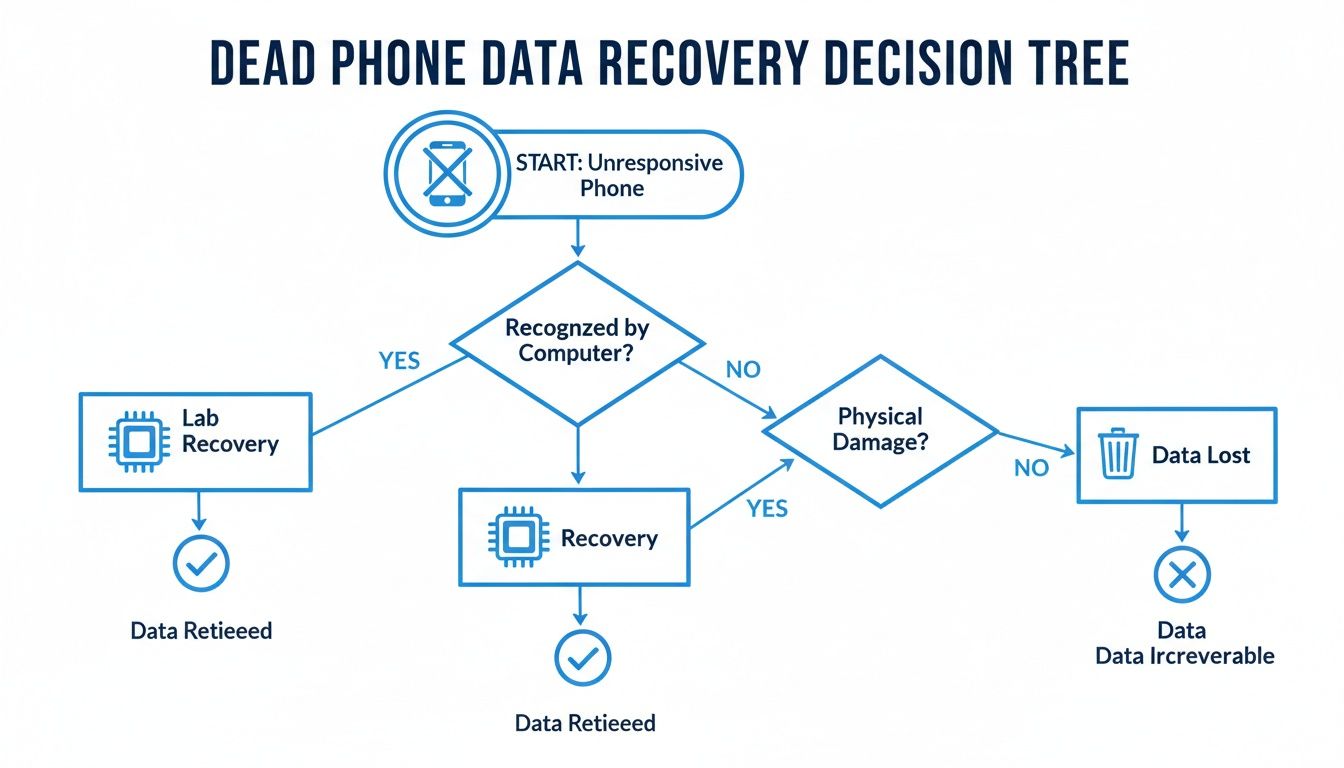
As you can see, your next steps are critical. Improper actions can worsen the situation, whereas seeking professional lab services offers the best chance for a successful data recovery.
Check Your Charging Gear First
Before suspecting a major hardware failure, examine your charging cable and wall adapter. A faulty cable is a frequent and often overlooked cause.
- Swap Your Cable and Adapter: Use a different charging brick and USB cable that you have confirmed works with another device. Low-quality cables are known to fail internally, even if they appear physically intact.
- Try Another Power Source: If you typically use a wall outlet, try charging from a computer's USB port, and vice versa. This can help rule out a faulty outlet or USB port.
If you've tested multiple known-good charger combinations and see no signs of life - no charging icon, no LED indicator - the problem is likely internal to the phone.
Try a Safe Forced Restart
A software crash can sometimes render a phone completely unresponsive. A forced restart is a non-destructive procedure that can resolve such issues. The key combination varies by manufacturer.
- Samsung Galaxy: Press and hold the Power and Volume Down buttons simultaneously for 10-15 seconds.
- Google Pixel: Press and hold the Power button for approximately 30 seconds until the Google logo appears.
- Most Other Androids: The Power and Volume Down combination is standard. Hold both buttons together.
If the phone vibrates or the manufacturer's logo appears, the issue may be resolved. If the screen remains black, it further suggests a hardware problem.
CRITICAL WARNING: If you notice the phone's case bulging or if it feels unusually hot, unplug it immediately. A swollen battery is a significant fire hazard. The pressure can also crack the logic board or the memory chip, potentially making data recovery impossible.
When to Stop and Seek Professional Evaluation
If these steps do not revive your phone, it is time to stop. At this point, you are likely dealing with a more serious hardware failure, such as a dead battery, a damaged charging port, or a failed component on the logic board. Further attempts at repair can cause more damage.
Do not attempt to open the phone or use unverified software that claims to fix it. The safest course of action is to obtain a professional diagnosis. At MDRepairs, our nationwide mail-in diagnostics service is designed for this exact scenario. We can identify the specific point of failure and provide a clear path for recovering your data, backed by our no data, no charge policy.
Is It a Dead Screen or a Dead Phone?
A black, unresponsive screen is often interpreted as a dead phone, but this is not always the case. In our lab, we frequently find that the phone is fully operational, but the display has failed.
Distinguishing between a display failure and a true power failure is a critical diagnostic step. A functioning phone with a broken screen presents a straightforward data recovery scenario. A truly dead phone indicates a more complex logic board issue.
Hunting for Signs of Life
To determine if the phone's "brain" is still active, look for subtle clues. These are the same quick tests our technicians perform initially.
Press the power button for a second or two, as if to wake the screen. A broken display will not light up, but you might feel the brief vibration of haptic feedback. This vibration is a definitive sign that the phone is powered on.
Another effective test is to call your phone from another line. If it rings or vibrates, you have confirmed that the core system is functioning. This is excellent news for your data.
Listen for Notifications and Alarms
Consider any alarms you may have set. If your daily alarm sounds as scheduled, it is a strong indication that the operating system is running correctly.
Similarly, listen for notification sounds. If the phone is connected to Wi-Fi or cellular data, you may hear alerts for new texts or emails. Any sound is a positive sign.
Lab Takeaway: A phone that makes noise, vibrates, or is recognized by a computer is not truly "dead" - it has a display failure. For a professional lab, recovering data from such devices is often as simple as connecting a temporary screen to access the files.
The Computer Connection Test
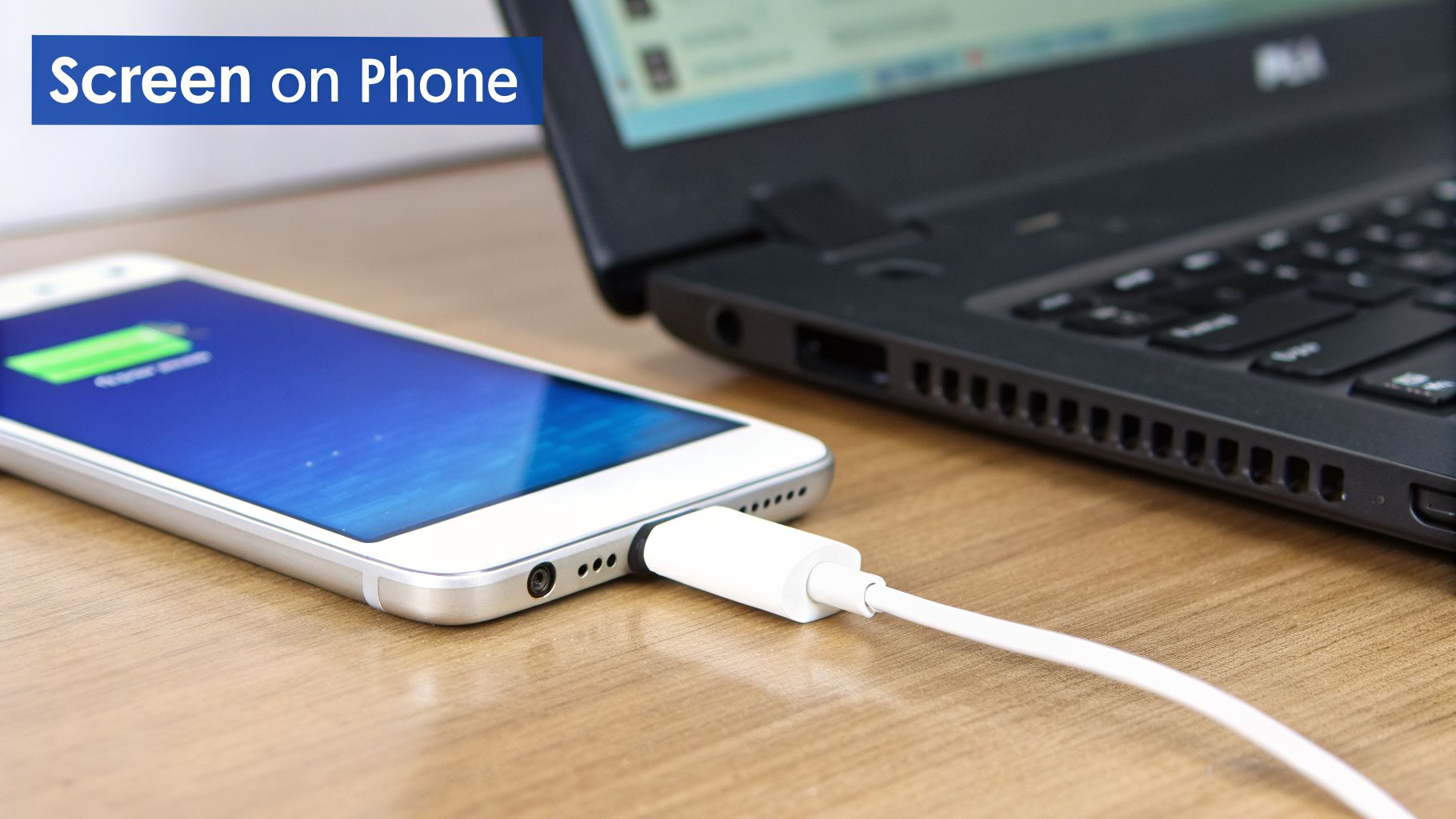
This is one of the most reliable diagnostic checks. Connect the phone to a computer using your USB cable. Listen for the "device connected" sound that your PC or Mac typically makes.
If your computer recognizes the phone, it confirms the device is powered on and communicating. You can then check for it in your file manager.
- On Windows, open File Explorer and look for your phone's name under "This PC."
- On a Mac, the Android File Transfer application should launch or detect the device.
If the computer sees the phone, your data is almost certainly safe and recoverable.
However, if connecting the phone yields no response - no sound, no icon - you are likely facing a more serious power or logic board failure. At this point, do not continue trying to charge or connect it. Repeatedly supplying power to a potentially short-circuited board can worsen the damage. The safest next step is a professional evaluation. MDRepairs offers nationwide mail-in diagnostics to safely identify the cause without risking your data.
When It’s More Than Just the Charger: Battery Failure and Hidden Damage
If the basic troubleshooting steps have failed, it's time to consider internal hardware issues. From our experience in the lab, the vast majority of "dead" Android phones we receive through our nationwide mail-in service have failed due to one of two primary causes: complete battery failure or hidden physical damage.
These are problems that are not visible from the outside. More importantly, this is the stage where DIY repair attempts can turn a recoverable situation into permanent data loss.
The Truth About Your Phone's Battery Life
A smartphone battery has a finite lifespan. It is typically rated for 500-800 charge cycles. For most users, this equates to about two to three years of use. After this point, its ability to hold a charge and deliver stable power declines sharply.
An aging battery may not just hold less charge; it can fail to provide the necessary power to boot the phone. It might have enough energy to cause an LED to flicker but lack the output required to start the processor and operating system. This is a classic symptom we see regularly - a phone that appears dead even when connected to a wall charger.
In our lab, we've determined that complete battery failure is the cause in approximately 35% of the non-responsive devices we analyze. The problem is compounded when a failing battery begins to swell. This physical pressure can damage the delicate NAND memory chips, and our logs show this leads to data corruption in 19% of such cases. Our technicians specialize in safely bypassing dead or hazardous batteries to power the logic board directly, enabling data access from phones that others would consider unrecoverable. We explain these complex failures in this video on device power failures.
The Drop That Haunts You Later
The other common cause of failure is latent physical damage. Clients often tell us, "But I haven't dropped it recently!" The damage that caused the failure may have occurred weeks or even months prior. A short fall from a nightstand or a slight bend in a pocket can create microscopic fractures in the solder balls connecting critical components - like the CPU and PMIC - to the logic board.
A Real-Life Lab Example: A client sent us a Samsung phone that died while charging overnight. Under microscopic inspection, we discovered tiny cracks in the solder joints beneath the main processor. The phone had survived a minor drop weeks earlier, but the daily thermal cycles of heating and cooling caused a cracked connection to separate, interrupting a critical power rail.
This type of failure is impossible to diagnose without professional equipment. A local repair shop may misdiagnose the issue or attempt a "reflow" - heating the board in an attempt to reseal solder connections - which often causes further damage and can render data recovery impossible.
At MDRepairs, we use advanced micro-soldering techniques and board-level diagnostics to trace electrical pathways and identify the exact point of failure. This meticulous approach is often the only way to safely restore power long enough to extract your irreplaceable files.
If you have tried the basic steps and your Android phone still won't turn on, you are almost certainly facing a hardware problem. To avoid risking further damage, it is best to have the device evaluated by experts who specialize in mobile logic boards and data preservation.
When a Software Update Bricks Your Phone
Sometimes, the issue isn't hardware but a software update gone wrong. You might initiate an update and return to find your phone completely unresponsive or stuck in a repetitive loop. This is known as a "bricked" device.
Symptoms can include the manufacturer's logo repeatedly appearing and disappearing - a classic bootloop - or simply a black, unresponsive screen.
During an over-the-air (OTA) update, the phone modifies its core software. If this process is interrupted by a poor Wi-Fi connection, a dying battery, or a bug in the update file, the operating system can become corrupted. The phone is then left without the necessary instructions to complete the startup process.
Why a Factory Reset Is the Worst Thing You Can Do
When faced with a bootloop, a common online recommendation is to perform a factory reset. From a data recovery standpoint, this is a catastrophic action.
A factory reset is an erasure command, not a repair. It formats the phone's internal storage, permanently deleting all of your photos, messages, contacts, and personal files. Once performed, the data cannot be recovered.
If your data is important, do not perform a factory reset on a phone that will not boot. While it may restore the phone's functionality, it will do so at the cost of all your un-backed-up data.
How a Data Recovery Lab Bypasses the Broken OS
The good news is that even when a phone is bricked by a bad update, your data is almost always safe on the internal memory chip. The problem isn't that the data is gone; it's that the corrupted operating system is preventing access. At MDRepairs, we bypass the broken OS instead of trying to fix it.
We use specialized hardware-level tools to access the memory directly.
- In-System Programming (ISP): This technique involves soldering microscopic wires to specific points on the phone's logic board. This creates a direct communication channel to the memory chip, allowing our equipment to read a full image of the storage while bypassing the non-functional OS.
- Chip-Off Recovery: For more complex failures, we perform a chip-off procedure. In our clean-room environment, a technician carefully de-solders the NAND memory chip from the board and places it in a specialized reader. This provides raw, direct access to the stored data. Our experts perform these delicate procedures for clients nationwide, including those seeking Florida data recovery services.
Both methods create a bit-for-bit image of your phone’s memory. From this image, we can reconstruct the file system and extract your photos, contacts, and files. Because this process is independent of the phone's software, it offers the highest chance of a successful recovery.
Knowing When to Contact a Data Recovery Professional
You’ve performed the safe troubleshooting steps, and your Android phone remains unresponsive. At this juncture, your next action will determine the chances of recovering your data.
The problem has now escalated beyond a simple glitch. Continuing to experiment by plugging it in, pressing button combinations, or attempting to enter recovery mode can cause a cascade of failures on an already compromised logic board. This can easily turn a recoverable issue into a permanent one.
Red Flags That Signal It's Time for Lab-Level Help
Our lab technicians see recurring patterns that indicate a hardware failure requiring professional intervention. If your phone exhibits any of the following symptoms, the safest course of action is to seek a professional evaluation.
- Absolutely No Signs of Life: The phone is completely "bricked" - no vibration, sounds, or LED light, regardless of what it is plugged into.
- Visible Physical Damage: A cracked screen, bent frame, or other impact damage can lead to delayed hardware failure. A solder joint may have been weakened and has now failed.
- Any Hint of Liquid Contact: If your phone was exposed to liquid, even briefly and some time ago, corrosion may be damaging the logic board. Do not charge it, as electricity will accelerate the damage.
- A Stubborn Bootloop: The phone repeatedly shows the manufacturer's logo and restarts. If a simple reboot does not resolve this, it often points to a failing memory chip or corrupted firmware that requires specialized tools.
- Died Right After a Software Update: The phone failed during or immediately after an update, indicating it is likely "hard bricked." A factory reset at this stage guarantees data loss, making professional recovery the only safe option.
An Inside Perspective: Continuously supplying power to a phone with an internal short circuit is like adding fuel to an electrical fire. Each time you plug it in, you risk burning out additional components and turning a single, repairable fault into widespread, unrecoverable damage. The best advice is to stop.
How Professional Data Recovery Actually Works
When you send your device to a specialized lab like MDRepairs, you are engaging a specialist whose sole focus is to safely extract your files. The process is designed for security and transparency.
Our nationwide mail-in service is tailored for this exact situation. You ship your phone to our lab, where technicians use advanced diagnostic equipment to identify the precise electrical fault without taking any action that could risk your data.
Once the problem is diagnosed, we provide a clear explanation and a firm price quote. With our no data, no charge guarantee, you only pay if we successfully recover the data you need. If recovery is not possible, you do not pay for the attempt.
The highest probability of success is achieved by allowing an expert with the proper tools to be the first to open the device. From our work with clients needing California data recovery to individuals across the country, our mission remains the same: to safely retrieve your irreplaceable data.
Answering Your Top Questions About a Dead Android Phone
When your phone fails, it's natural to have questions and concerns. As a professional data recovery lab, we've addressed them all. Here are direct answers to the most common questions our technicians receive from clients nationwide.
If My Phone Is Totally Dead, Is My Data Gone Forever?
This is the primary concern, and the answer is almost always no, your data is not gone. Your files are stored on a NAND flash memory chip on the phone's logic board.
Think of it like the hard drive in a computer. If the computer's power supply fails, the hard drive itself is usually unaffected. As long as the memory chip is not physically shattered or electrically fried, a skilled technician can bypass the failed components and access the chip directly.
Can I Use Data Recovery Software to Get My Files Back?
Unfortunately, no. Data recovery software is ineffective for a phone that will not power on.
These programs require a fully booted operating system to recognize and access the phone's storage. If your device cannot start up, the software cannot establish a connection. This is a hardware problem that software cannot solve.
Lab Insight: A phone that won't turn on is experiencing a hardware failure. Attempting to run software on it is like using a keyboard on a computer without power - it simply cannot work. The only solution involves component-level diagnostics and intervention.
Will You Fix My Phone, or Just Get the Data?
Our sole objective at MDRepairs is data recovery. We are specialists in safely extracting files from non-functional devices.
During the recovery process, we may perform micro-soldering repairs to temporarily power on the device, but this is not a permanent fix. Our mission is to retrieve your data, not to provide a refurbished phone.
What Is the Very First Thing I Should Do When My Phone Dies?
Stop trying to charge it or turn it on. This is crucial.
Plugging in a device with a potential internal short circuit can cause further damage to the logic board. Our broken phone data recovery guide covers exactly what to do in this situation, making data recovery more difficult or even impossible. After performing the safe checks mentioned earlier, the best course of action is to leave the device alone and contact a professional.
If your Android phone is dead and basic troubleshooting has failed, do not risk your data with further DIY attempts. The experts at MDRepairs have the specialized lab equipment and experience necessary to diagnose the hardware failure and safely retrieve your files.
Start your nationwide mail-in case today with our no data, no charge guarantee by visiting MDRepairs Data Recovery Services.
When to Stop Trying to Turn On Android
If a known good charger, cable, and forced restart do not wake the phone, stop there. Repeated charging, button combinations, recovery mode attempts, and factory reset prompts can turn a recoverable Android into a data loss case. Stop immediately if the phone gets hot, the battery looks swollen, liquid was involved, or the device died after a drop.
For modern Android phones, your files are usually encrypted on internal storage. Recovery often depends on repairing the original board enough for the phone to boot and decrypt itself. That is board-level work, not an app download. MDRepairs evaluates dead Android phones in our New Jersey lab for customers nationwide. Start a mail-in data recovery case with a $100 diagnostic, applied toward recovery. We will explain the fault before recovery work begins. No data, no charge.
When a Phone Needs the Lab, Not Another App
Modern phones encrypt everything on internal storage, so real recovery usually means repairing the original board until the device can boot and decrypt itself. That is micro-soldering work, not a download. Our professional data recovery services cover phones, tablets, and the drives and cards that back them up. The diagnostic is $100, applied toward recovery. No data, no charge.
How MDrepairs can help
Real cases like this come through our New Jersey lab every week. If you are dealing with one now, start here.
- Samsung Galaxy Data Recovery Recovery from cracked, water-damaged and bricked Galaxy phones. Learn more
- Cell Phone Repair Screen and board phone repair for every brand, NJ local. Learn more
- iPhone Data Recovery Logic-board and NAND recovery from dead and damaged iPhones. Learn more
- Hard Drive Data Recovery Mechanical, firmware and logical HDD recovery on every brand. Learn more


