Data Recovery Clean Room: Why It's Non-Negotiable for Physical Drive Failure
In this article
A data recovery clean room is a sterile, particle-controlled lab, certified to ISO Class 5 (Class 100) with under 100 particles per cubic foot versus 500,000+ in a normal room, where engineers safely open physically failed drives to swap heads, motors, or platters without dust destroying the data.
- Opening a drive in normal air lets dust gouge the platters and cause a head crash: permanent loss.
- HEPA/ULPA filtration plus positive air pressure keep the work area particle-free.
- It's required only for physical failures (clicking, grinding, seized motor), not logical ones like deletion.
- A clean bench or glove box is not a clean room; ask any lab for its exact ISO certification.
Hear clicking or grinding? Power the drive down now and start a case with our certified-lab data recovery services.
A data recovery clean room is, in essence, a surgical theater for your storage device. It's a highly controlled, sterile environment engineered for one critical purpose: to safely open and repair physically damaged hard drives (HDDs), solid-state drives (SSDs), and other storage media without causing catastrophic, irreversible data loss.
For any recovery that requires opening the device's sealed casing, working in a certified clean room isn't just a best practice - it's the only professional and responsible way to proceed.
The Problem with "Normal" Air
When a hard drive begins clicking, beeping, or stops spinning, it often indicates a mechanical failure. The read/write heads may have crashed onto the platters, or the spindle motor has seized. To address this, a recovery engineer must perform what is essentially microsurgery on the drive's internal components.
Attempting this in a typical office or home environment is a guaranteed recipe for failure. The air we breathe is filled with hundreds of thousands of microscopic particles in every cubic foot - dust, pollen, and skin cells. To the delicate internal components of a hard drive, these particles are like boulders.
The read/write heads in a modern hard drive float on a cushion of air just a few nanometers above the rapidly spinning platters. A single speck of dust landing on a platter is catastrophic. It can be struck by the head, causing a "head crash" that physically gouges the platter surface and permanently destroys the data stored in that location.
A professional data recovery clean room is the only solution. These labs are equipped with powerful HEPA and ULPA filtration systems that constantly scrub the air, removing nearly all contaminants to create a safe environment for internal work.
This visual illustrates the stark difference between a clean room and a standard room.
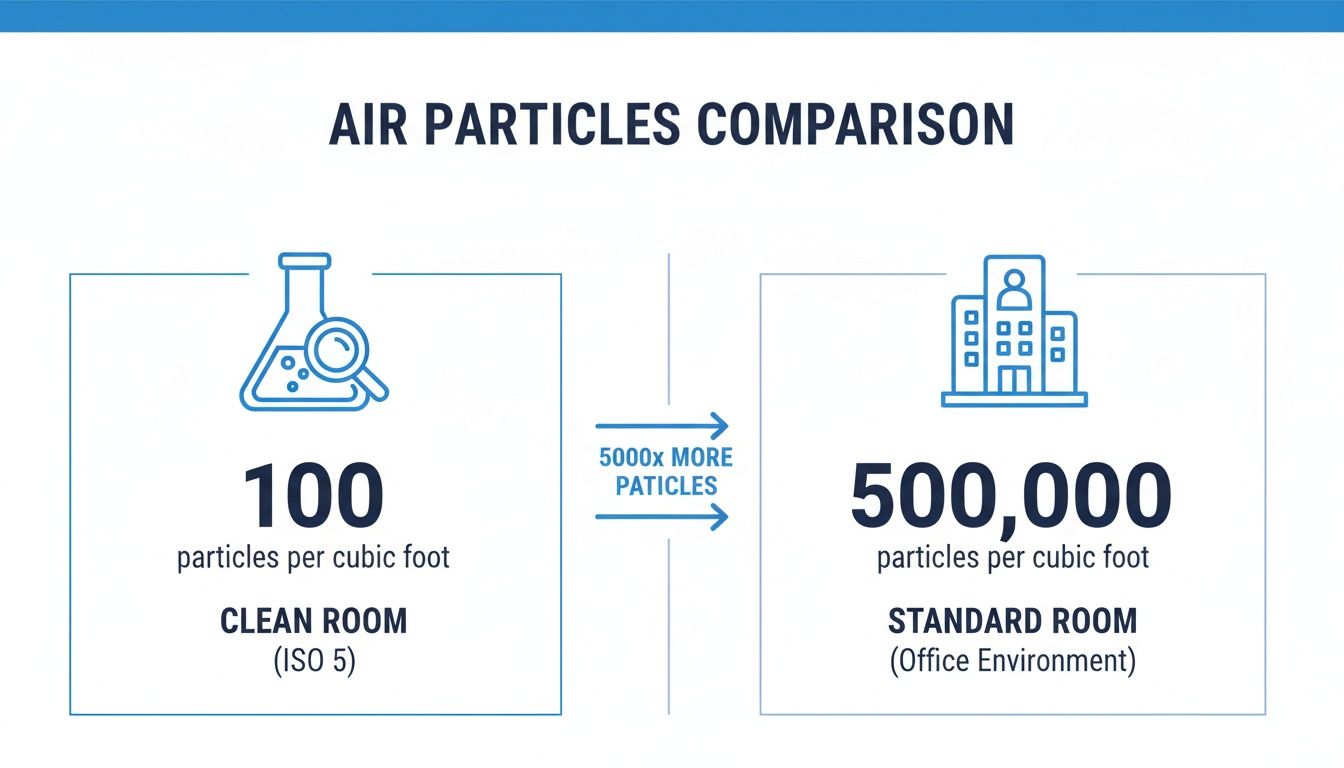
The numbers make it clear why opening a hard drive outside of a professional lab is one of the most destructive things you can do to your data.
Meeting the Standard: What ISO Class 5 / Class 100 Means
The cleanliness of a data recovery lab isn't subjective; it's measured against strict international standards. The industry benchmark for data recovery is ISO Class 5, which is the modern equivalent of the older Class 100 certification.
In practical terms, this means the air inside the lab contains no more than 100 particles (0.5 microns or larger) per cubic foot. Compare that to the 500,000 to 1,000,000 particles found in a typical room, and the necessity becomes obvious.
Considering that physical failures account for a significant percentage of all data loss scenarios, access to a proper clean room is a major factor in a lab's success rate. Maintaining this environment is a serious commitment, often involving independent workplace air quality testing to ensure standards are consistently met.
At MDRepairs, our nationwide mail-in recovery service is centered around a certified clean room environment. This ensures that from the moment your device is opened, it is protected, giving us the best possible chance to recover your data successfully.
Here's a breakdown to put the two environments into perspective.
Professional Clean Room vs. Standard Room Environment
| Attribute | Certified Data Recovery Clean Room (ISO 5 / Class 100) | Standard Room Environment |
|---|---|---|
| Airborne Particles | Fewer than 100 particles (0.5µm) per cubic foot. | 500,000 to 1,000,000+ particles per cubic foot. |
| Air Filtration | Multi-stage HEPA and ULPA filters running continuously. | Standard HVAC filters, designed for comfort, not purity. |
| Primary Risk | Minimal risk of contamination during internal repairs. | Extremely high risk of dust causing permanent platter damage. |
| Suitability for Repair | Essential for any physical hard drive, SSD, or RAID repair. | Completely unsuitable. Guarantees further data loss. |
This comparison highlights why professional-grade facilities are non-negotiable for serious data recovery.
Key Takeaway: A certified clean room is more than a clean workspace. It's a scientifically engineered environment with managed air purity, pressure, and static controls. If a data recovery service cannot confirm they use a certified ISO 5 / Class 100 lab for physical repairs, you should seek help elsewhere.
Why Opening Your Hard Drive Is So Risky
A modern hard drive is a marvel of precision engineering. Inside its sealed enclosure, tiny read/write heads glide over spinning magnetic platters to access your data. The gap between the heads and the platters is incredibly small - often less than five nanometers.
To put that in perspective, a single human hair is about 75,000 nanometers wide. The heads float on a cushion of air in a space thousands of times smaller than a hair's width. This microscopic clearance is absolutely essential for the drive's operation.
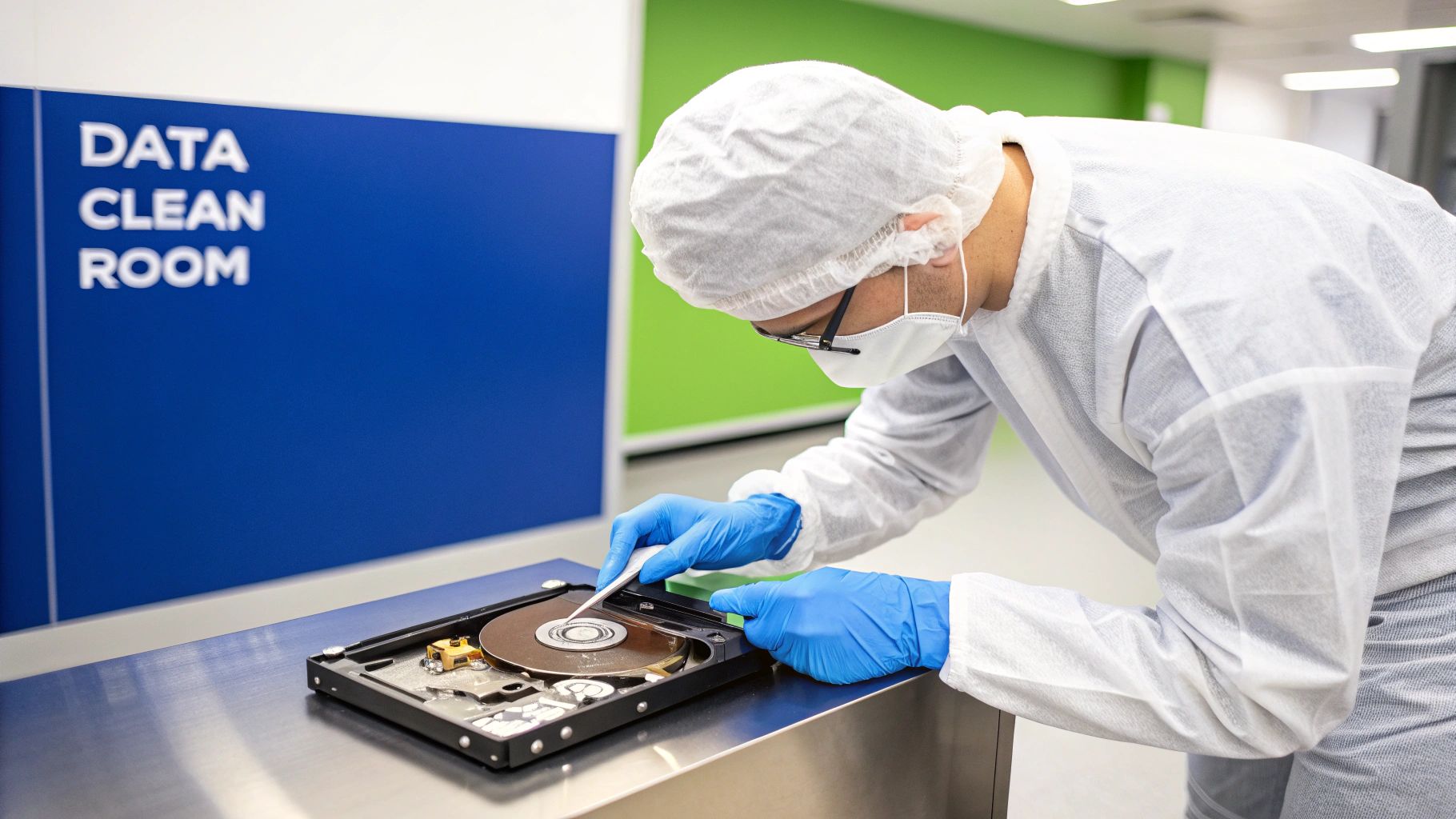
This incredible precision is also what makes opening a hard drive outside of a certified data recovery clean room a catastrophic mistake. From the moment it leaves the factory, the drive's internal environment is pristine. Introducing even a single microscopic dust particle creates an immediate and devastating hazard.
The Catastrophe of a Head Crash
Imagine a jet aircraft flying at supersonic speed, just inches from the ground. Now, imagine a boulder is placed directly in its path. The result would be absolute destruction. This is an accurate analogy for what happens inside your hard drive when a contaminant gets inside.
A tiny dust particle, which is enormous compared to the head's flying height, is struck by the rapidly moving head assembly. This event, known as a head crash, triggers a chain reaction of devastating consequences:
- Physical Damage: The initial impact can bend, shatter, or completely dislodge the fragile read/write heads.
- Platter Scoring: The damaged head assembly then grinds against the platters, which are spinning at thousands of revolutions per minute (RPM). This carves circular scratches into the magnetic layer where your data resides, a type of damage called platter scoring.
- Contamination Spreads: The magnetic material scraped from the platters and the shattered fragments of the head become shrapnel, circulating inside the drive and causing widespread damage.
Once platter scoring occurs, the data in those gouged areas is physically gone forever. It is completely unrecoverable. This is why the first and most critical rule of data recovery for a clicking or buzzing drive is to power it down immediately. Continued operation will only worsen the internal damage.
Common Failures Demanding Clean Room Intervention
Not every data loss scenario requires opening the drive. Logical issues, such as accidental deletion or file system corruption, can often be resolved with specialized software and hardware tools. However, a significant class of physical failures makes a clean room absolutely mandatory.
These are problems that cannot be fixed without accessing the internal components for repair or replacement.
Typical Scenarios Demanding a Clean Room:
- Failed Head Assembly: This is the classic cause of the "click of death." The heads can no longer read the drive's essential firmware from the platters to initialize. The only solution is to transplant a perfectly matched head assembly from a compatible donor drive.
- Seized Spindle Motor: The motor that spins the platters can fail or seize, preventing the drive from reaching operational speed. To recover the data, an engineer must painstakingly move the delicate platters to a new chassis with a working motor, preserving their precise alignment.
- Stiction (Stuck Heads): Occasionally, when a drive powers down, the heads fail to park correctly and become stuck to the platter surface. Powering on the drive in this state can rip the heads off and cause severe platter damage. An engineer must manually unstick and replace the heads.
At MDRepairs, our nationwide mail-in diagnostics are designed to pinpoint the exact cause of failure. We determine if your HDD, SSD, or RAID system has a physical issue that requires our certified clean room, ensuring no unnecessary risks are taken with your critical data.
The DIY Danger: What Not to Do
Online videos may make internal drive repair seem straightforward, but they rarely show the permanent data loss that almost always follows. Attempting to "fix" a physically failed drive in a normal environment guarantees you will make the problem worse, often rendering the data unrecoverable even for a professional lab.
Never attempt to:
- Open the drive's lid. This causes immediate contamination and is often fatal for the data.
- Swap the controller board (PCB). On modern drives, the PCB contains unique calibration data (ROM). A simple swap will not work and can cause further electrical or firmware-related damage.
- Put the drive in a freezer. This is an outdated myth that causes condensation and thermal stress, leading to electrical shorts and permanent damage to the platters and electronics.
If your drive starts making clicking, grinding, or buzzing sounds, the best chance for your data is to power the device down safely. That single action can be the difference between a successful recovery and permanent data loss.
A Look Inside a Professional Data Recovery Lab
When your device arrives at our lab, it doesn't just go to a workbench. For any case involving suspected physical damage, it is handled within a specialized environment engineered to protect it from microscopic airborne threats. A true data recovery clean room is far more than a clean space - it’s a controlled ecosystem where every element is designed to maximize the chances of a successful recovery.
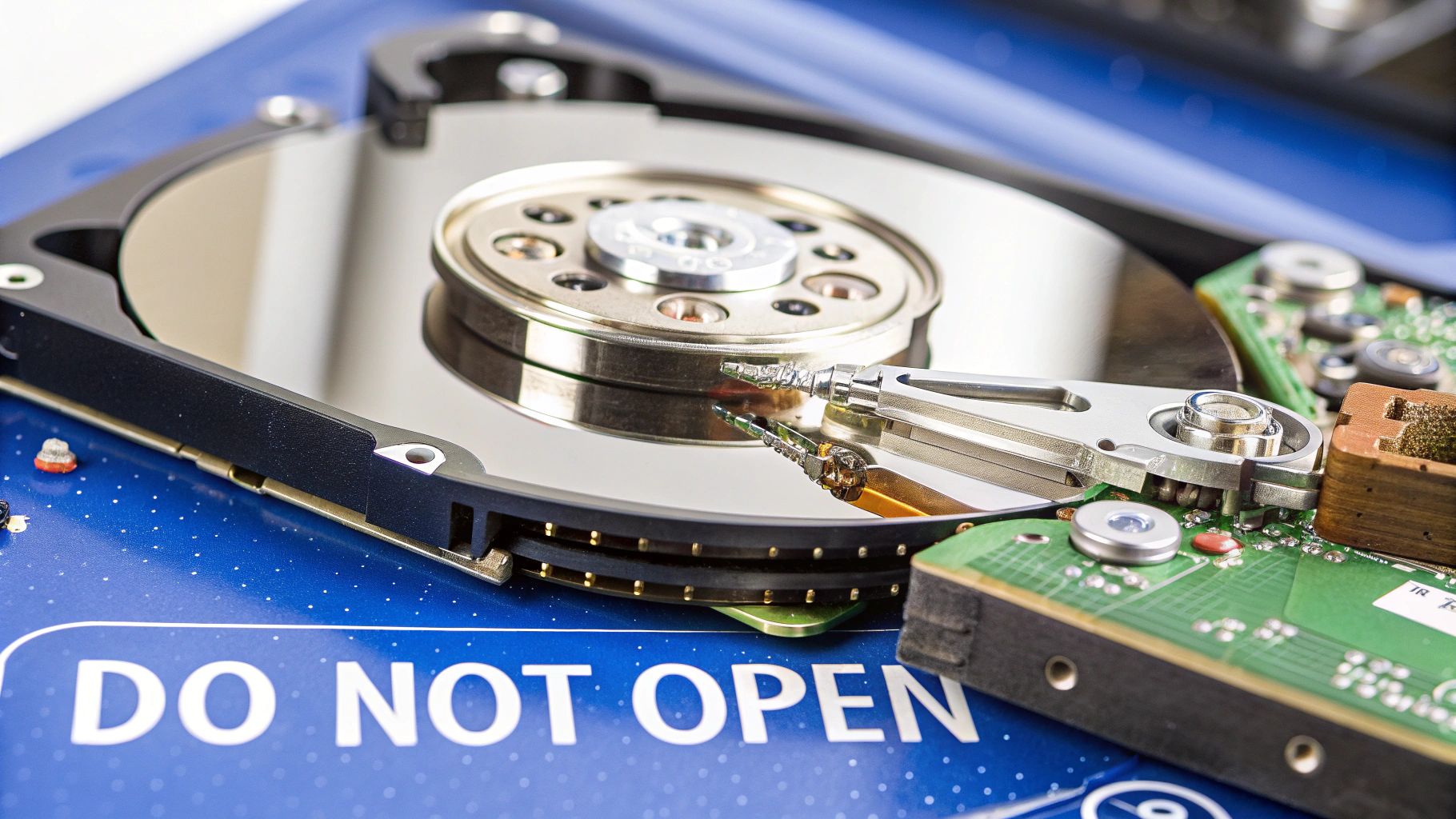
Upon entering, one of the first things you notice is a constant, gentle hum. This isn't standard air conditioning; it's a positive air pressure system, which keeps the pressure inside slightly higher than outside. This simple but effective principle ensures that whenever a door is opened, air flows out, actively pushing potential contaminants away rather than letting them drift inside.
The Pillars of a Controlled Environment
Achieving and maintaining an ISO 5 / Class 100 environment is an ongoing process that requires several key technologies working in concert. These systems create the sterile operating theater necessary for delicate procedures like swapping read/write heads or transplanting platters.
A professional clean room relies on these core components:
- Advanced HEPA Filtration: High-Efficiency Particulate Air (HEPA) filters are the lungs of the room. They continuously scrub the air, capturing 99.97% of airborne particles as small as 0.3 microns. This includes the dust, pollen, and other microscopic contaminants that would instantly destroy a hard drive's platters.
- Laminar Airflow: The filtered air is delivered in a smooth, non-turbulent stream called laminar flow, typically from the ceiling to the floor. This steady current ensures that any particles generated during the recovery process are immediately swept downward and away from sensitive drive components.
- Anti-Static Protocols: Static electricity is the invisible enemy of electronics. A single, unseen spark of electrostatic discharge (ESD) can permanently destroy the circuits on a hard drive's logic board or an SSD's memory chips. Our lab is equipped with anti-static flooring, grounded workstations, and specialized tools to neutralize any static charge.
Tools of the Trade Beyond the Clean Room
The clean room provides the safe environment, but the actual recovery work is performed with highly specialized tools not found in a standard computer repair shop. This equipment is purpose-built for microsurgery on storage media.
Inside our lab, our engineers utilize:
- Head Combs and Actuator Tools: These precision-molded instruments are designed to safely lift and separate the read/write heads from the platters. There is no margin for error; one slip can cause a scratch, and a scratch means permanent data loss. Each drive family requires its own custom-fit tool.
- Platter Swapping Tools: If a drive's motor has seized, the only option is to move the platters to a healthy donor drive. These tools allow our engineers to move an entire stack of platters at once, perfectly preserving their microscopic alignment.
- Firmware-Level Tools (e.g., PC-3000): These advanced hardware/software combinations allow us to interact directly with a drive's service area and firmware, bypassing the standard operating system. This is essential for repairing firmware corruption, which is a common cause of drive failure.
This combination of a sterile environment and specialized tools allows us to tackle complex cases, from head assembly replacements on physically damaged HDDs to NAND chip extractions from failed SSDs and smartphones.
Glove Boxes and Clean Benches Are Not Clean Rooms
Be wary of repair shops that claim to have a "clean environment" when all they have is a clean bench or a glove box. These setups only provide a small, localized bubble of clean air. They do not offer the comprehensive protection of a true, certified clean room that controls for ambient air quality, positive pressure, and rigorous anti-static protocols.
Entrusting a physically failed drive to a facility without a proper clean room is a significant risk. Our professional evaluation process, available via our nationwide mail-in service, ensures your device receives the lab-level attention it requires for the best chance of recovery. For information about our process, you can review our guide on data recovery services in California.
Signs Your Drive Needs a Clean Room Recovery
Most storage devices provide warning signs before they fail completely. Recognizing these symptoms can be the difference between a successful recovery and permanent data loss. Think of these signs as critical alerts that something is physically wrong with the internal components.
If your drive exhibits these symptoms, the single most important action you can take is to power it down immediately. Unplug it. This halts any further mechanical damage and preserves the drive's current state, giving a professional lab the best possible chance to save your data.
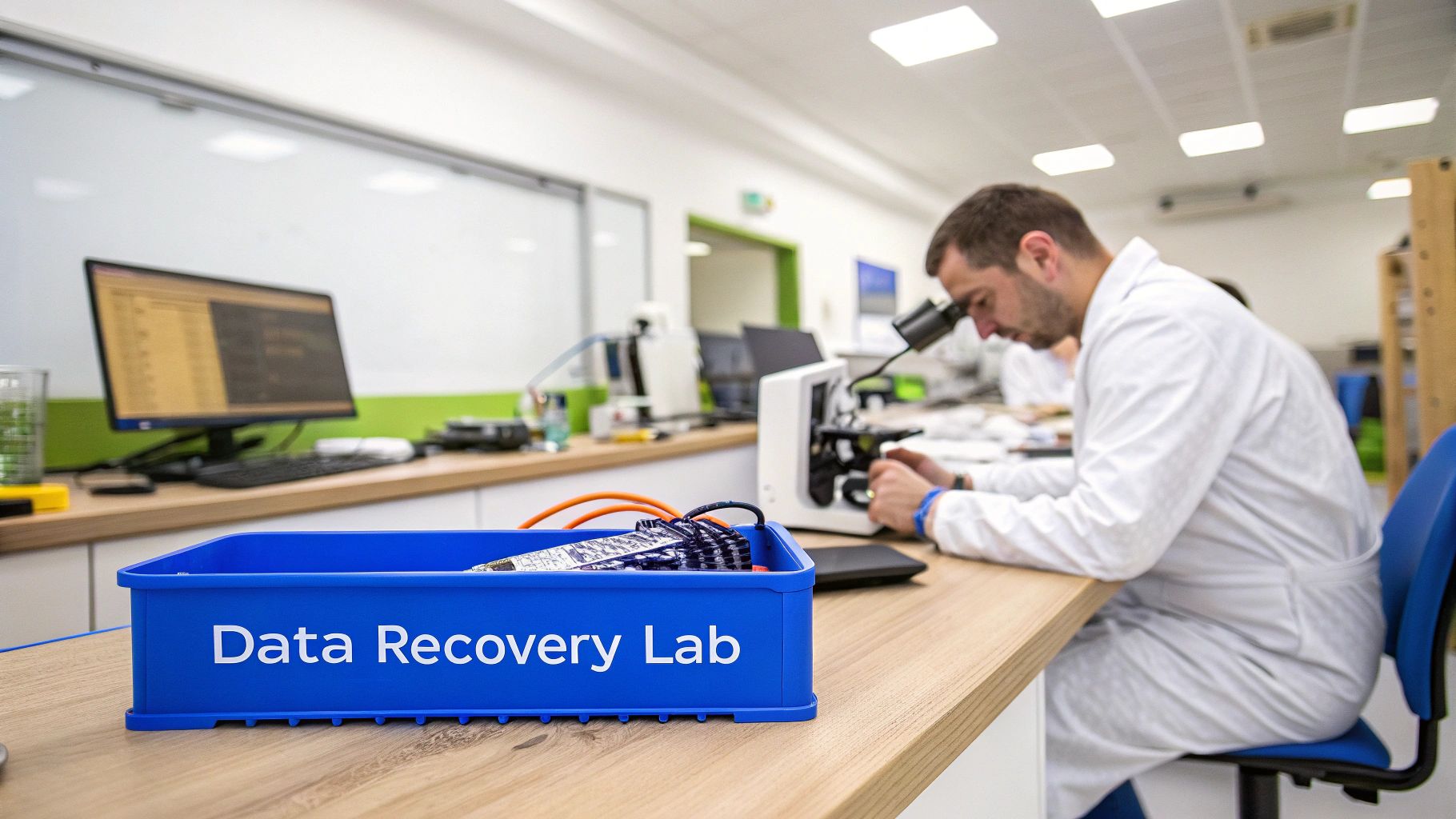
Hard Drive Noises and What They Mean
Hard drives are mechanical devices, and the sounds they make can tell an experienced engineer a lot about their health. A healthy drive produces a gentle, consistent whirring noise. Any other sound is a clear indicator of a physical problem that requires a data recovery clean room.
Listen for these common warning sounds:
- Repetitive Clicking: This is the infamous "click of death." It is the sound of the read/write heads repeatedly trying and failing to locate the essential firmware needed to initialize. This is a critical failure that requires opening the drive in a certified clean room to replace the head assembly.
- Grinding or Scraping: This is one of the worst sounds a hard drive can make. It almost always means the read/write heads have crashed onto the platters and are physically scraping away the magnetic layer that stores your data.
- Beeping or Buzzing: A steady beep or a low buzz often indicates a seized spindle motor. The motor is attempting to spin the platters but cannot. This frequently occurs after a drop and requires moving the platters to a donor drive - a delicate operation only possible in a clean room.
If you hear any of these sounds, your drive's internal mechanics are failing. Running data recovery software at this stage will only accelerate the damage, potentially destroying your data permanently.
It's Not Just Hard Drives
While clicking and grinding are classic signs of HDD failure, other devices signal failure differently. Solid-state drives (SSDs), smartphones, and USB flash drives have no moving parts, but they can still suffer from electrical and firmware failures that demand a sterile, static-free lab environment.
These scenarios require microscopic work where even a speck of dust or a minor static discharge can be catastrophic.
When SSDs and Mobile Devices Need Lab Work
With solid-state and flash-based devices, the failure is usually silent. The symptoms are less about noise and more about the device's inability to be recognized by a computer.
Common scenarios for SSDs, smartphones, and flash drives include:
- Device Not Detected: If your computer suddenly fails to see your SSD, NVMe drive, or smartphone, it often points to a failed controller chip or corrupted firmware.
- Stuck in a Boot Loop: When a phone or tablet continuously restarts without fully loading, it can indicate a problem with its NAND memory chips.
- Physical Damage: A dropped, bent, or water-damaged device often has hidden damage to its logic board or memory chips that requires micro-soldering to repair.
For these failures, we often perform advanced procedures like chip-off recovery. This involves a skilled engineer physically removing individual NAND memory chips from the circuit board using specialized tools. The raw data is then extracted from each chip and algorithmically reassembled.
This is painstaking, microscopic work that must be done in a controlled, static-free environment to prevent an electrical discharge from destroying the fragile memory chips. While not the same as a particle-free clean room for HDDs, the lab environment requires the same level of precision and protection against electrostatic discharge (ESD).
If you are experiencing any of these symptoms, your device needs professional evaluation. You can learn more about how we handle these complex cases in our guide to Texas data recovery services. Our nationwide mail-in diagnostics will identify the cause of failure and determine the correct lab procedure for a safe recovery.
Clean Room Data Recovery Cost: What the Lab Work Adds to a Quote
Clean room recovery costs more than software-level recovery for a simple reason: it is a different job. When a quote moves from a logical recovery to a clean room case, you are paying for the physical work the failure now demands. Here is what that adds, in plain terms:
- The environment itself. A certified ISO 5 / Class 100 lab must be built, filtered, pressure-controlled, and independently tested on an ongoing basis. Every opened drive carries a share of what it costs to keep that room certified.
- A matched donor drive. Head swaps and motor work need parts from a compatible donor, matched by model, firmware family, and manufacturing window. At MDrepairs the donor is included in the quoted price rather than billed as a surprise line item.
- Engineer bench time. Opening the drive, transplanting heads or platters, and re-imaging the drive sector by sector takes hours of skilled work, not minutes of software runtime.
In real numbers: logical recoveries that never open the drive run $300 to $900, while mechanical failures that need the clean room run $800 to $1,800 with the donor drive included. The difference between those two bands is what clean room work adds to a quote. Beware of any shop quoting mechanical recovery at logical prices: it usually means no clean room and no donor inventory, which is how recoverable drives become unrecoverable. Full ranges by device and failure type are in our data recovery cost guide and on our pricing page, and it all comes with our no data, no charge policy: start with a free phone consult if you are not sure which kind of failure you have.
How to Choose a Data Recovery Service
When your data is at risk, the first decision you make is the most critical. Not all data recovery companies operate at the same level, and choosing an under-equipped service can turn a recoverable situation into permanent data loss.
Before entrusting your device to anyone, it's essential to ask specific questions. The answers will reveal whether you are dealing with a professional lab or a standard computer repair shop.
Essential Questions for Any Recovery Lab
A legitimate data recovery lab will be transparent about its facilities, equipment, and processes. Vague or evasive answers are a major red flag, often indicating they lack the proper environment or expertise for physical drive failures.
Here’s what you should always ask:
- Do you have a certified clean room? A professional lab will answer "yes" immediately. Be skeptical of phrases like "clean area" or "dust-free workstation."
- What is your clean room's ISO or Class certification? The industry standard is ISO 5 or Class 100. A lab that knows its certification number invests in and adheres to professional standards.
- Do you perform internal drive work on a clean bench or in a full clean room? A clean bench is inadequate for complex recoveries. A proper clean room controls the entire environment - air pressure, filtration, and anti-static measures - which is crucial.
- What is your diagnostic process for a physically failed drive? A professional lab will perform a complete evaluation to identify the precise point of failure before attempting a recovery. This prevents causing further damage.
At MDRepairs, we expect and welcome these questions. Our nationwide mail-in data recovery service is built on transparency and laboratory expertise. Every internal hard drive repair is performed in our certified ISO 5 clean room, providing your data the best possible chance for a successful recovery.
Vetting a Data Recovery Lab: Key Questions and Red Flags
This checklist can help you distinguish a professional lab from an unqualified provider. Knowing what to ask can be the difference between getting your data back and losing it forever.
| Question to Ask | What a Professional Lab Says | Red Flag to Watch For |
|---|---|---|
| "What is your clean room's certification?" | "We use a certified ISO 5 / Class 100 clean room for all internal hard drive repairs." | "We have a clean work area," or "Our technicians are careful." (Avoids mentioning specific, verifiable certification.) |
| "What tools do you use for physical recoveries?" | "We use specialized tools like head combs, platter swappers, and firmware repair hardware like the PC-3000." | "We have all the standard computer repair tools." (Indicates a lack of specialized data recovery equipment.) |
| "Do you have a 'no data, no charge' policy?" | "Yes, for most standard recovery cases. If we can't recover your target data, there is no charge for the recovery attempt." | "There is a non-refundable attempt fee regardless of the outcome." (This can be a sign of low success rates.) |
| "Can you provide a firm quote before diagnostics?" | "No, a complete diagnostic is required to determine the exact failure before we can provide a firm, itemized quote." | "We can give you a flat-rate price over the phone." (Impossible without a physical evaluation of the device.) |
Ultimately, choosing the right service is the most critical step in the recovery process. Our team at MDRepairs provides professional diagnostics to clients nationwide, ensuring you understand the problem and the path to a solution before you commit. To see how we apply these principles, review our guide to New York data recovery services.
Frequently Asked Questions About Clean Room Recovery
When critical files are inaccessible, navigating the world of data recovery can be daunting. Here, we provide straightforward answers to the most common questions our clients ask about data recovery clean rooms to help you set realistic expectations and make informed decisions.
Does Every Data Recovery Case Need a Clean Room?
No, not all cases require a clean room. Many data loss situations are "logical failures," such as accidental deletion, formatting, or file system corruption. These issues are resolved using specialized software and hardware imaging tools in our standard lab environment, without ever opening the drive.
A clean room is exclusively for physical failures, where we must open the drive to access its internal components. This is the only safe method for addressing a head crash, a seized motor, or severe physical trauma from a drop. Our professional diagnostic service, available via mail-in from anywhere in the U.S., is designed to identify the exact cause of failure. If it's physical, the device goes to our certified clean room. If not, we use the safest logical recovery methods without breaking the factory seal.
Can I Use Recovery Software on a Clicking Hard Drive?
The answer is an emphatic no. Running software on a clicking hard drive is one of the quickest ways to turn a recoverable case into permanent data loss. The clicking sound is a clear symptom of internal mechanical failure, typically involving the read/write heads.
When you run software, you force the damaged components to move repeatedly across the platters where your data is stored. This can cause the heads to physically scrape away the magnetic layer, creating what we call platter scoring. Once that damage occurs, the data in those areas is destroyed forever. The only safe action is to power down the device immediately and have it evaluated by a professional lab with a clean room.
Your first action after hearing a click can determine the outcome. Powering down the device prevents further mechanical damage and preserves the best possible chance for a successful recovery. Continuing to run it is a gamble you don't want to take.
Why Does Clean Room Data Recovery Cost More?
The cost of a clean room recovery reflects the significant investment in technology, expertise, and infrastructure required to perform this type of delicate microsurgery safely and effectively.
Several factors contribute to the cost:
- Building and Maintaining a Certified Lab: A certified ISO 5 / Class 100 clean room is expensive to build and requires constant, costly maintenance of its complex HEPA filtration and air pressure systems to meet stringent purity standards.
- Specialized Equipment: We utilize sophisticated hardware and software, such as firmware tools from ACE Laboratory (PC-3000), which cost tens of thousands of dollars and are essential for repairing modern storage devices.
- Donor Drive Inventory: For most physical repairs, we need a compatible "donor drive" to provide replacement parts like head assemblies or PCBs. We maintain a vast library of thousands of drives to find a precise match for your specific model, firmware, and manufacturing date.
- Skilled Engineers: This work is performed by highly trained engineers with years of hands-on experience. Their expertise is rare, valuable, and critical for achieving high success rates on complex physical failures.
While the investment is higher, it's the only way to ensure a safe and successful recovery from severe physical damage. MDRepairs stands by our no data, no charge policy for most cases, meaning you only pay for a successful recovery of your target data.
How Can I Tell if a Company Has a Real Clean Room?
This is a crucial question. A professional lab will be transparent about its facilities. When vetting a service, ask for specifics.
A real lab can tell you the exact certification of their clean room (e.g., ISO 5 or Class 100). If you receive vague answers like "we use a dust-free area" or "we work in a clean environment," you should be skeptical. These phrases often describe an amateur setup like a clean bench or a glove box, which lacks the comprehensive protection of a true, certified clean room.
Look for evidence. A reputable company should have photos or videos of their actual lab on their website - not just stock photos. This transparency allows clients across the United States to see exactly where their device will be handled before they mail it in for professional diagnostics.
If you are facing a failing hard drive, SSD, or other storage device, the most important step is to stop using it immediately. Let our experts professionally diagnose the issue. At MDRepairs, our nationwide mail-in diagnostic service will determine the cause of the problem and provide a clear recovery plan. To start a case, visit https://mdrepairs.com.
When DIY Stops Being Safe
A clean room matters when the problem moves beyond cables, software, and simple connection issues. If a drive is clicking, grinding, beeping, not spinning, spinning with a repeating pattern, or was dropped while running, stop powering it on. Opening a hard drive outside the right environment can expose the platters to contamination and can turn a controlled recovery into avoidable platter damage.
DIY stops being reasonable when you are tempted to remove the lid, swap parts from another drive, freeze the device, or keep trying new USB adapters after mechanical symptoms appear. At that point, the goal is to preserve the media in its current condition. MDRepairs is a real New Jersey data recovery lab that provides clean room hard drive recovery help for physical failures. You can call for a free phone consult, then start with a flat $100 diagnostic applied toward recovery, and the policy is no data, no charge. If visiting the lab is not practical, use the secure mail-in data recovery path from anywhere in the country.
How MDrepairs can help
Real cases like this come through our New Jersey lab every week. If you are dealing with one now, start here.