Hard Drive Failure: Symptoms, Causes, and What to Do
In this article
A hard drive has failed when any internal part stops working: crashed heads, a seized motor, a fried circuit board, or corrupted firmware. Clicking, grinding, beeping, not spinning, or suddenly vanishing from your computer all mean failure. The single most important action: power it down immediately, because every minute it runs makes recovery harder.
- Power off the drive and stop trying to use it: do not run CHKDSK, reformat, or restart repeatedly.
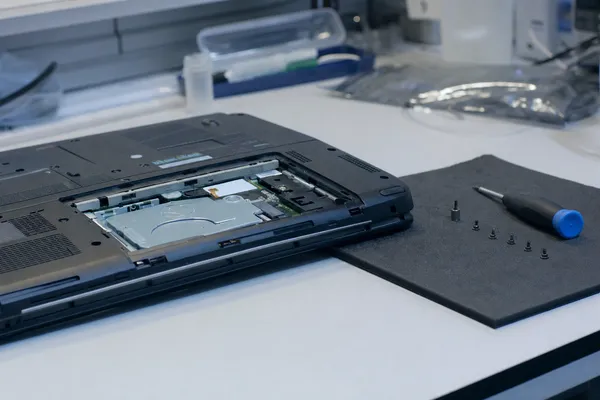
- Never open the drive or attempt an eBay PCB swap; both usually turn a recoverable drive into a total loss.
- For any clicking, grinding, or undetected drive, send it to a lab: professional hard drive data recovery succeeds over 90% of the time when handled early.
A hard drive fails when any component stops working correctly, whether that's the read/write heads crashing into the platters, the motor seizing, the circuit board frying, or the firmware corrupting. If your drive is clicking, grinding, not spinning, or suddenly invisible to your computer, it has failed. The good news: data recovery success rates for failed hard drives exceed 90% when handled properly by a professional lab. The bad news: every minute you keep trying to use a failing drive makes recovery harder.
Here's exactly what causes hard drives to fail, how to recognize the warning signs, and what actually happens when we recover data from one.
What to Do the Moment Your Hard Drive Fails
Stop what you're doing. If your hard drive just made a weird sound, disappeared from your computer, or started acting strange, the next 60 seconds matter more than you think.
| Do This | Don't Do This |
|---|---|
| Power down the computer immediately | Don't keep restarting to "see if it comes back" |
| Unplug external drives gently | Don't run CHKDSK or Disk Utility |
| Write down what happened and any sounds | Don't open the drive yourself |
| Contact a professional lab | Don't put it in the freezer |
| Keep the drive at room temperature | Don't try PCB swaps from eBay drives |
Recognizing the Symptoms of Hard Drive Failure
Hard drives don't usually die without warning. Most give you clues days or weeks before they fail completely. Knowing what to look for can save your data. Drives over 4 years old have failure rates that can jump to 11.8%, an increase of more than 840% compared to newer drives.
| Symptom | Likely Cause |
|---|---|
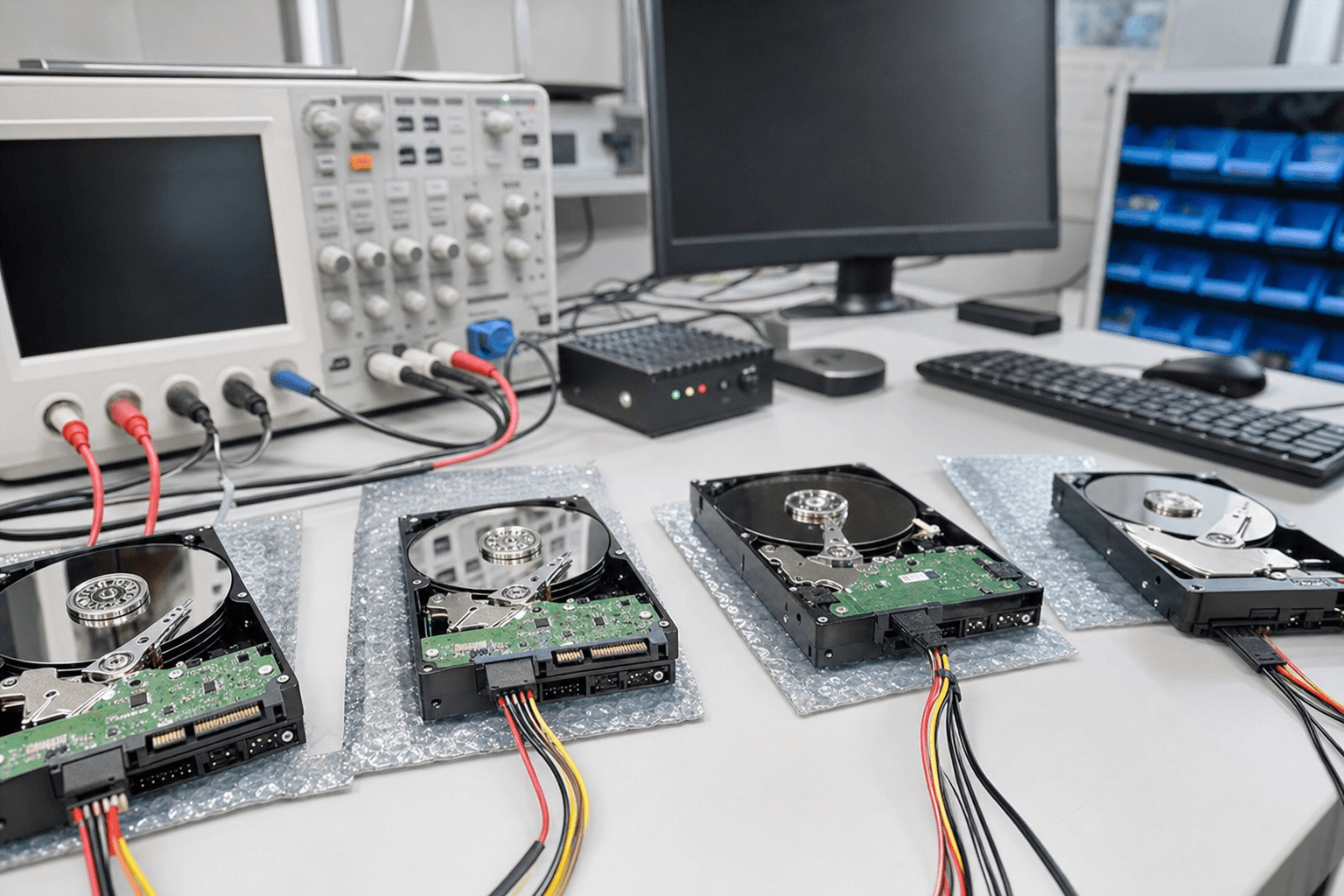
| Repetitive clicking (click of death) | Failed or failing read/write heads |
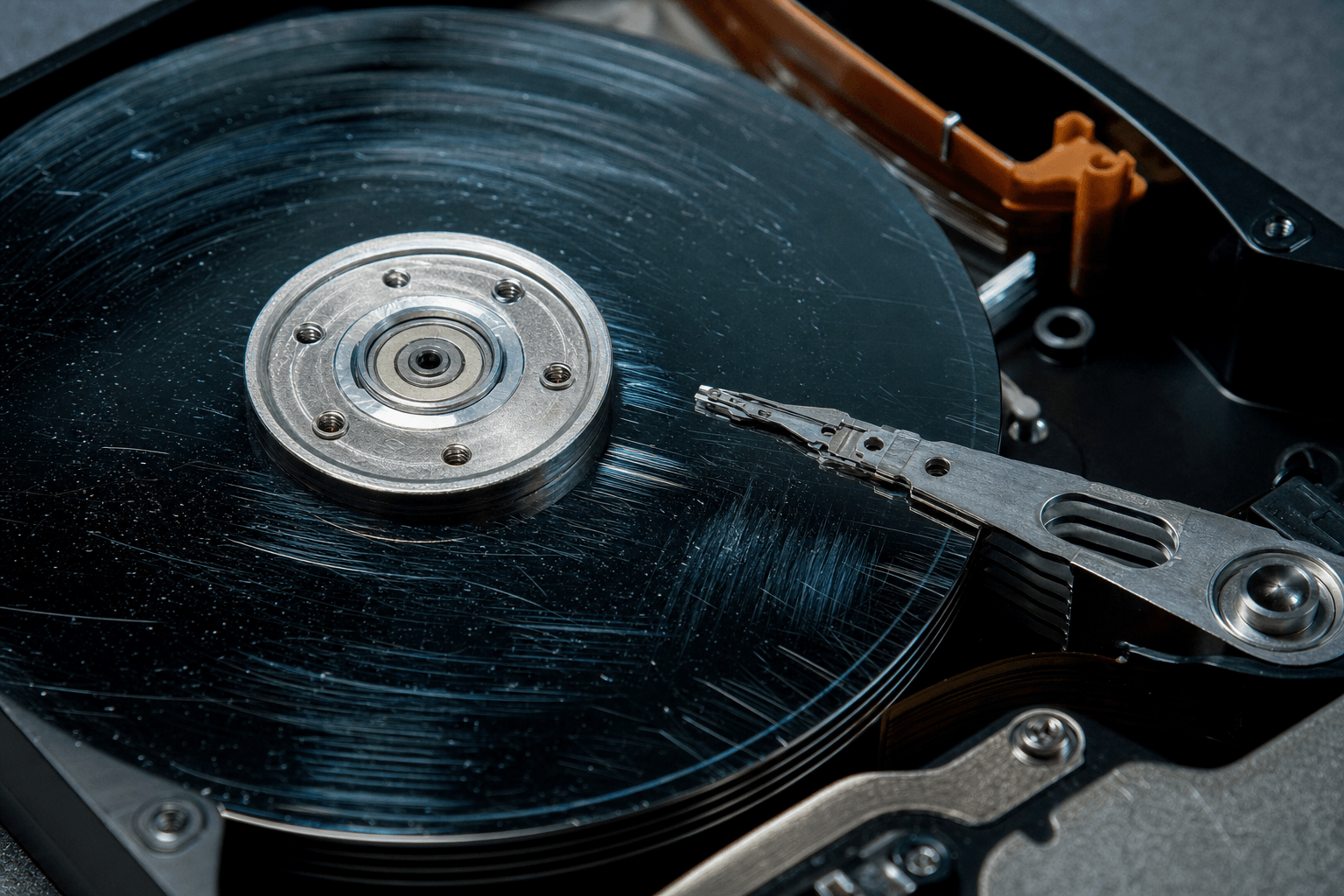
| Grinding or scraping sounds | Heads dragging on platters (head crash) |
| Beeping on startup | Seized spindle motor or stiction |
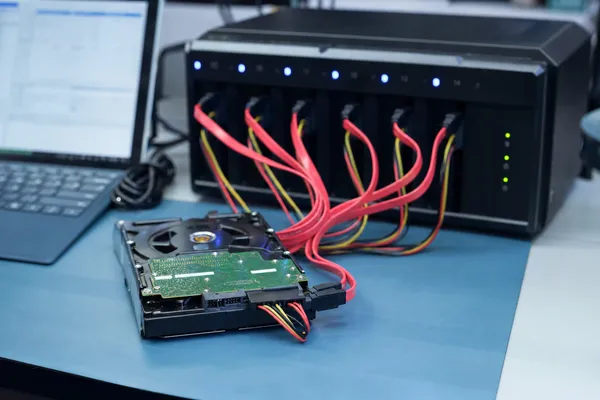
| Drive spins but isn't detected | Firmware corruption or PCB failure |
| Completely silent, no spin | Electrical failure (fried PCB) |
| Files disappearing or corrupting | Developing bad sectors or head degradation |
| Very slow performance, freezing | Bad sectors, failing heads, or firmware issues |
| S.M.A.R.T. warnings | Drive self-reporting degradation |
If you're seeing S.M.A.R.T. warnings or slow performance, you still have time. Back up everything immediately and check your drive health for the full picture. Our guide on 7 warning signs your hard drive is failing covers each symptom in detail. If you're hearing clicks or grinding, skip the backup attempt and go straight to a professional.
Mechanical Failures: The Expensive Ones
Mechanical failures are the most common reason people send us drives. Something physical broke inside the sealed enclosure. These are the most complex recoveries, but also the ones where professional labs make the biggest difference.
Head Crash
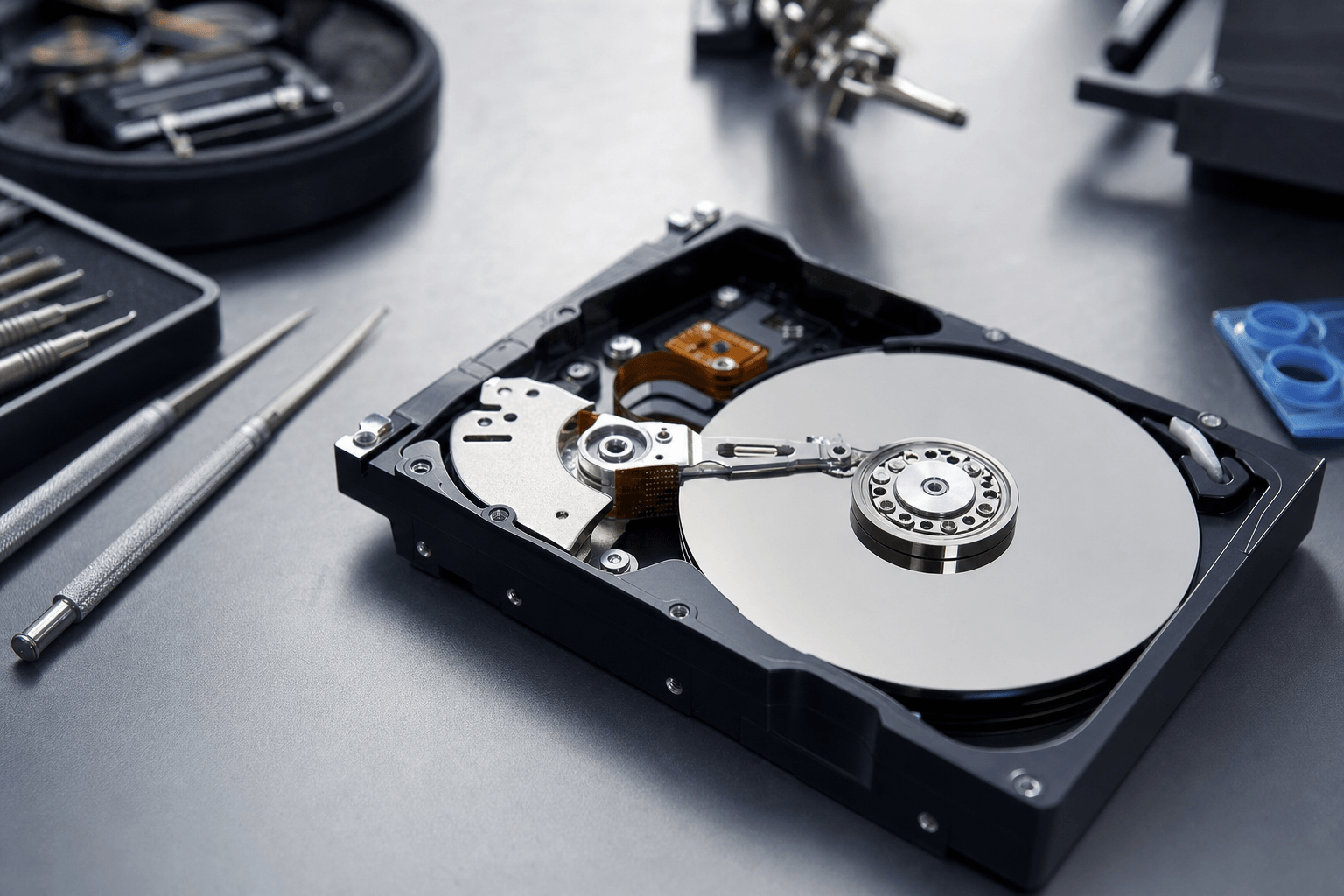
The read/write heads float just nanometers above the spinning platters on a cushion of air. When they crash into the surface, it's catastrophic. That clicking sound is the heads bouncing off the platters repeatedly. Each impact gouges the magnetic surface where your data is stored.
Head crashes happen from drops, bumps, power surges, or simple wear. The head stack assembly (HSA) includes a preamp that amplifies the tiny magnetic signals from the platter surface. When the preamp fails, the heads can't read properly and start crashing. We see this most often in Seagate drives from 2014-2016 and certain Western Digital models.
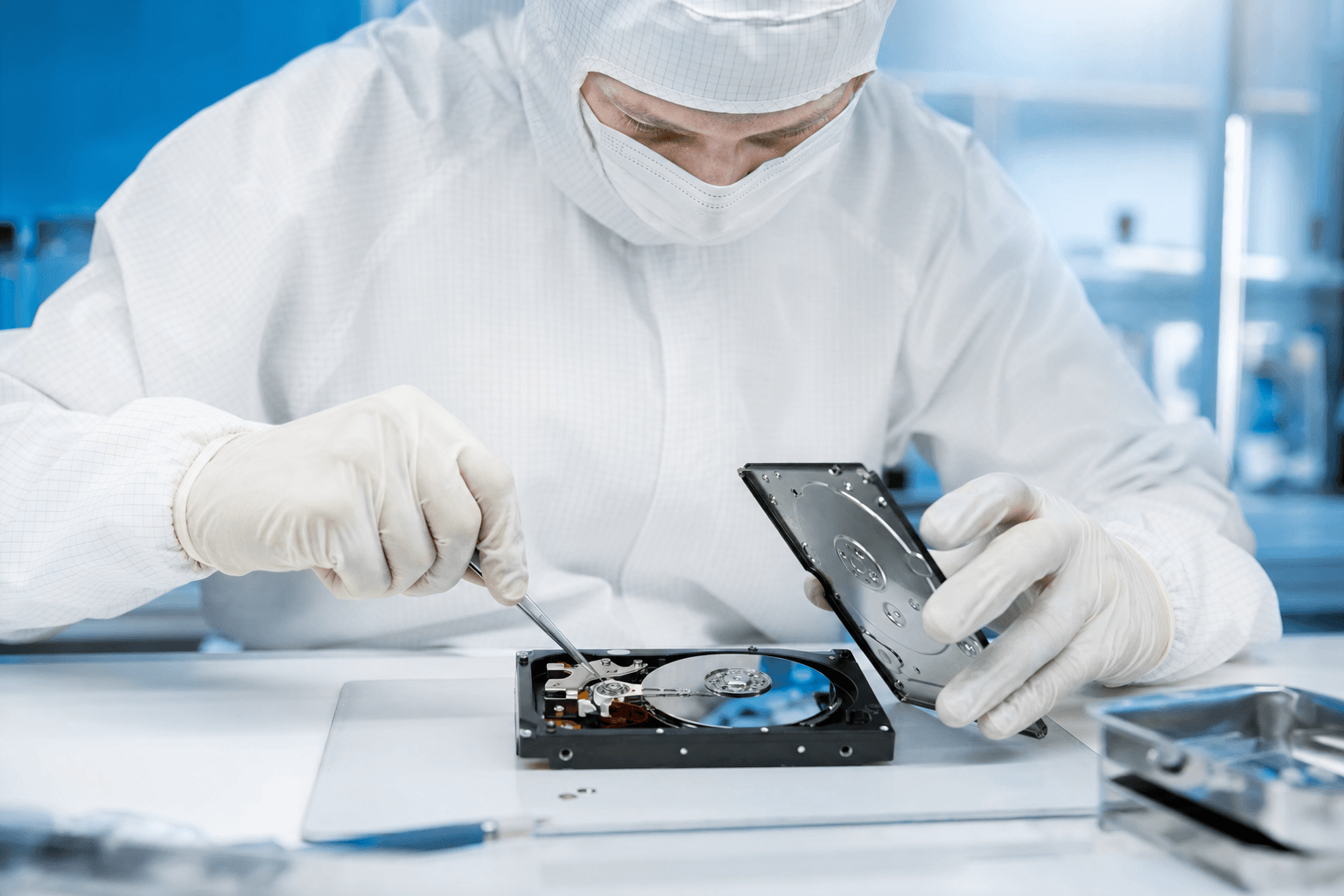
Recovery requires a cleanroom head swap. We source a donor drive with a matching head assembly, open both drives in a Class 100 environment, and transplant the working heads into your drive. The success rate after a cleanroom head swap exceeds 99% when the platters are undamaged.
Seized Spindle Motor
The motor that spins the platters at 5,400 or 7,200 RPM can seize from bearing failure or physical shock. You'll hear a faint buzzing or humming as the motor tries but fails to spin. The drive is basically stuck.
In some cases we can free the motor. In others, we transplant the platters themselves into a working donor chassis, keeping everything aligned to micron-level precision. This is painstaking work.
Stiction
When a drive is off, the heads park on a ramp or landing zone. Sometimes they get stuck to the platter surface, like a wet glass on a coaster. When you power on, the motor tries to spin but the stuck heads hold it back, causing that beeping sound.
A skilled engineer can often free the heads without damaging the platters, but it requires the right tools and a dust-free environment.
Hearing clicks, grinding, or beeping?
Power down and send it in. Diagnostic, no obligation, no risk to your data.
Get a Free QuoteElectrical Failures: Circuit Board Problems
A power surge, the wrong adapter, or a static shock can fry components on the drive's PCB (printed circuit board). The drive goes completely dead. No spin, no sound, nothing.
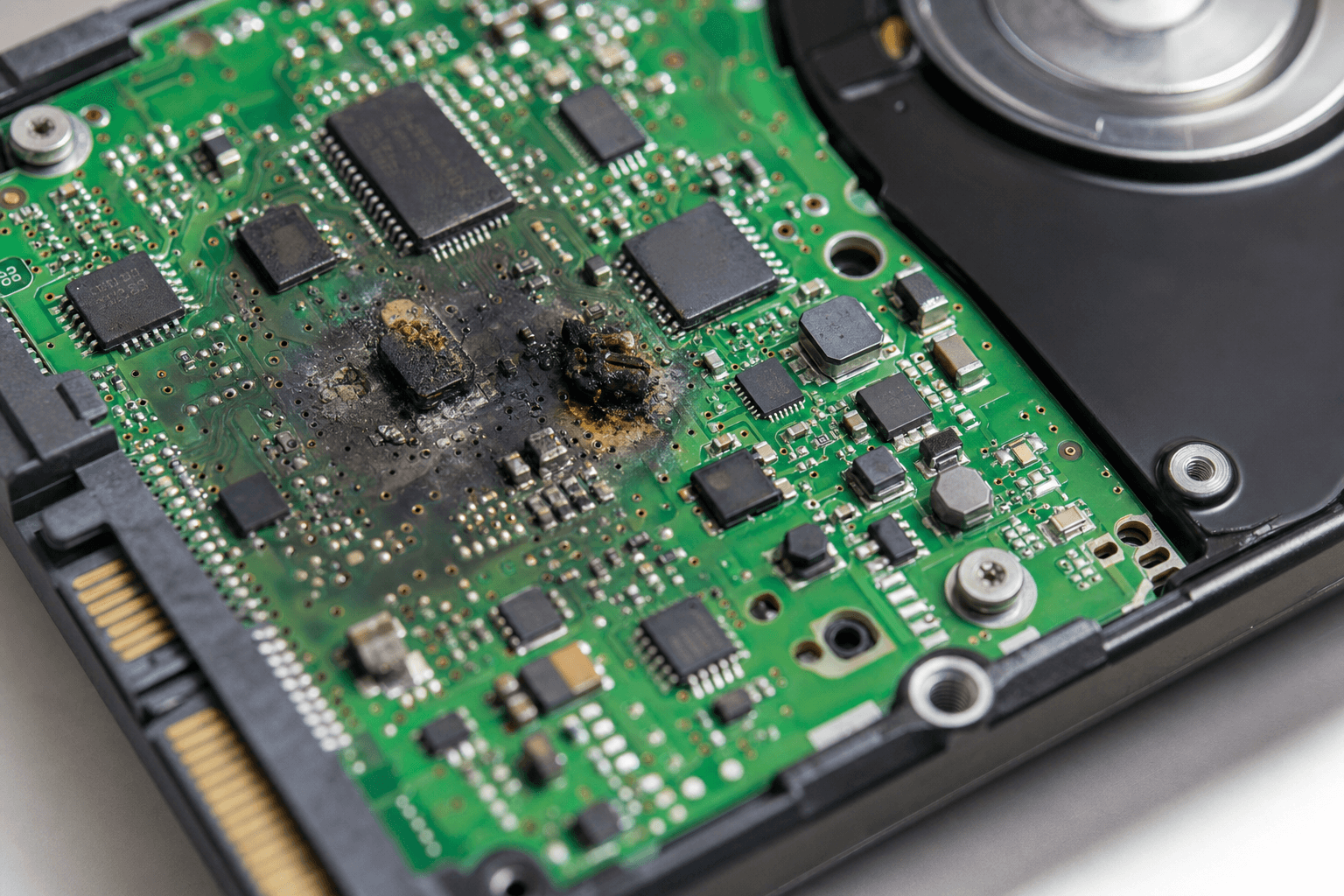
The fix involves micro-soldering. Modern drives store unique calibration data on a ROM chip on the PCB. You can't just swap the whole board from an identical drive. Our engineers desolder the ROM chip from your dead board and transfer it to a healthy donor board (or reprogram the donor with your drive's unique data).
Firmware Failures: The Hidden Operating System
Every hard drive runs its own little operating system called firmware. It lives in a hidden section called the Service Area. When firmware corrupts, the drive physically works but can't boot properly. It might spin up and show 0 MB capacity. It might appear with a garbled name. It might lock up your entire system.
This is where consumer software hits a wall. You need professional tools like the PC-3000 that can communicate directly with the Service Area and repair corrupted firmware modules. Once the firmware is fixed, the drive functions normally again and data can be extracted.
Firmware failures are tricky because they mimic mechanical problems. A drive that spins but isn't detected looks the same whether it's firmware or a head crash. That's why a proper diagnostic matters before anyone starts working on your drive.
Logical Failures: When the Hardware Is Fine
Sometimes the drive is physically healthy but the data is messed up on the software side. Accidental deletion, formatting the wrong drive, file system corruption after a power outage, virus damage. These are the most affordable recoveries because we don't need to open the drive.
Our lab software scans the platters at a low level and reconstructs the file structure. Think of it like a book where someone ripped out the table of contents and shuffled some pages. The text is still there. We just need to put it back in order.
SSD vs HDD: Completely Different Failure Modes
SSDs fail differently than traditional hard drives. No moving parts means no clicking, no grinding, no head crashes. But SSDs have their own problems.
| Factor | HDD (Spinning Drive) | SSD (Solid State) |
|---|---|---|
| Warning signs | Clicking, grinding, slow performance, S.M.A.R.T. alerts | Often none. SSDs can die suddenly with zero warning. |
| Common failures | Head crash, motor seizure, PCB failure | Controller failure, NAND degradation, firmware corruption |
| Recovery method | Cleanroom head swap, PCB repair, firmware fix | Chip-off (desoldering NAND chips), controller bypass |
| TRIM complication | No TRIM. Deleted data stays until overwritten. | TRIM can permanently erase deleted data within seconds. |
| Recovery success | Very high (90%+) when handled properly | Lower for physical failures due to encryption and TRIM |
The biggest difference: when an HDD fails, the data usually stays on the platters intact. When an SSD fails, the data can be lost if the controller encrypted it with a key that's now inaccessible. Read our full comparison of SSD vs HDD data recovery.
DIY Software vs Professional Lab Recovery
Running recovery software on a physically failing drive is like running a marathon on a broken leg. You're not going to finish, and you're going to make the injury much worse.
Here's when each approach makes sense:
We've seen it too many times. Someone downloads Recuva or Disk Drill, runs a "deep scan" on a clicking drive for 6 hours, and turns a $900 head swap recovery into a $1,800+ platter damage case. Or worse, a total loss. Last month a customer brought in a drive with over 40 restart attempts logged. By the time we opened it, the heads had carved rings into the platters.
If you're not sure whether the problem is physical or logical, err on the side of caution and power the drive down. A professional diagnostic takes the guesswork out of it.
How Professional Data Recovery Actually Works
When your drive arrives at MDrepairs, here's what happens. No guesswork, no rushing. A methodical process designed to maximize your chances.
We check the exterior for physical damage, inspect the PCB for burnt components, and examine the connectors. This tells us a lot before we even power it on.
For suspected mechanical failures, we open the drive in our Class 100 cleanroom. Fewer than 100 particles per cubic foot, compared to 500,000+ in a normal office. One speck of dust on a platter at 7,200 RPM would be like throwing a boulder on a highway.
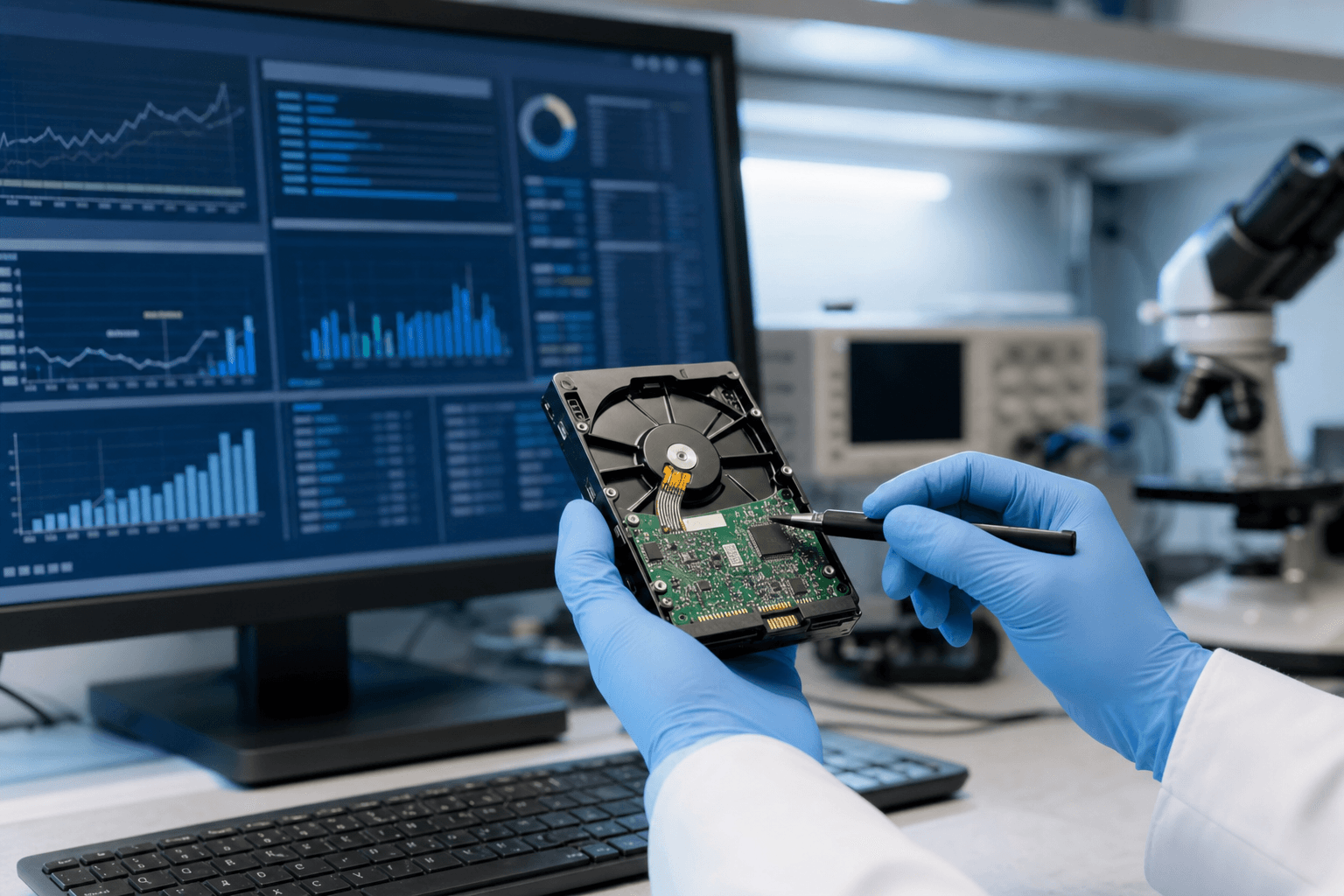
Using the PC-3000, we talk directly to the drive's firmware. This reveals issues invisible to any regular computer: corrupted modules, bad head maps, degraded sectors. This is where we identify the exact failure and build the recovery plan.
Depending on the failure: head swap from a matched donor, PCB repair with ROM chip transfer, firmware module repair, or motor work. We never recover from your original drive. First step is always creating a sector-by-sector clone using specialized hardware imagers. All actual recovery happens on the clone.
Once we have a clean image, we extract your files and verify integrity. You can review a file list or browse the recovered data remotely before we ship anything.
How to Choose a Data Recovery Lab
Not all recovery companies are created equal. Some are real labs. Some are storefronts that ship your drive to a third party. Some are outright scams. Here's how to tell the difference.
Green Flags
- In-house cleanroom: Ask if they have their own Class 100 certified cleanroom. If they outsource cleanroom work, they're a middleman.
- No Data, No Charge policy: Any reputable lab should guarantee you don't pay if they can't recover your data.
- Diagnostic: You should get a firm quote before committing to anything.
- Specific diagnosis: A real lab tells you exactly what failed (e.g., "heads 2 and 3 in the HSA have failed"). Vague answers mean they don't know what they're doing.
- Professional tools: Ask about their equipment. PC-3000, DeepSpar DDI, MRT Ultra. These tools cost $30,000+. If they can't name their equipment, be suspicious.
Red Flags
- Flat-rate quotes over the phone without seeing the drive. Impossible to give an honest price without a diagnosis.
- "We can recover anything" claims. No lab has a 100% success rate. Anyone who says otherwise is lying.
- Pressure to decide immediately. A real lab gives you time to think.
- No physical address or they won't let you visit. Legitimate labs are happy to show you their facility.
- Quoting $99 for recovery. At that price, they're either running consumer software (which you could do yourself) or it's a bait-and-switch.
What Does Recovery from a Failed Hard Drive Cost?
It depends entirely on what broke. Here's the realistic breakdown from our lab:
| Failure Type | Price Range |
|---|---|
| Logical (deleted files, corruption) | $300 - $900 |
| Electrical (PCB/board failure) | $500 - $1,200 |
| Firmware corruption | $600 - $1,400 |
| Mechanical (head swap, motor) | $800 - $1,800 |
| Severe platter damage | $1,200 - $2,500+ |
Donor drive costs are always included in mechanical recovery quotes. No surprise fees. Read our full data recovery pricing guide for a deeper breakdown by device type, or our dedicated hard drive recovery cost page for HDD-specific pricing.
Think your drive has failed?
Diagnostic. Firm quote. No Data, No Charge guarantee. Ship it from anywhere in the US.
Start Your DiagnosticFrequently Asked Questions
Can data be recovered from a completely failed hard drive?
In most cases, yes. Even drives with severe mechanical damage often have recoverable data on undamaged platter areas. The success rate depends on the type of failure and how the drive was handled after it failed. A drive that was powered down immediately after the first click has much better odds than one that was restarted 40 times.
How much does it cost to recover data from a failed hard drive?
Between $300 and $1,800 for most cases at MDrepairs. Simple logical recoveries start at $300. Mechanical failures with head swaps run $800-$1,800. The diagnostic comes first and gives you a firm price before you commit.
Should I put my hard drive in the freezer?
No. This was a trick that sometimes worked on very old drives in the 1990s. On modern drives, it causes condensation on the platters when you take it out, leading to corrosion and additional damage. We've seen drives ruined by freezer attempts. Don't do it.
How long does hard drive recovery take?
Standard service: 2-4 weeks. Priority: 1-2 weeks. Emergency: 24-72 hours. Mechanical recoveries take longer because sourcing a matching donor drive can take 1-7 days by itself, followed by 1-3 days of cleanroom work and 2-5 days of imaging.
Can my local computer shop recover data from a failed drive?
For logical failures (deleted files, formatted drive), sometimes yes. For anything mechanical, electrical, or firmware-related, no. Those recoveries require a cleanroom, specialized tools like the PC-3000, and donor drives. Most local shops either can't do it or will ship your drive to a lab anyway, adding a middleman markup. Your best bet is going directly to a lab like MDrepairs.
Can I ship my failed hard drive for recovery?
Yes. We handle mail-in recoveries from all 50 states. Pack the drive in an anti-static bag, wrap it in bubble wrap, and ship in a sturdy box. Include a note with your name, contact info, and a description of what happened. We'll email you as soon as it arrives and start the diagnostic immediately.
What's the difference between logical and physical hard drive failure?
Logical failure means the drive hardware works fine but data is messed up at the software level (deleted files, corrupted file system, virus damage). Physical failure means a hardware component broke (heads, motor, PCB, firmware). Logical failures are cheaper and faster to recover. Physical failures require specialized equipment and a cleanroom.
What data can be recovered from a failed hard drive?
Everything that was on the drive before it failed: documents, photos, videos, databases, emails, application data, operating system files. The type of data doesn't affect recovery. What matters is the condition of the platters and how much damage occurred before the drive was powered down.
When to stop after hard drive failure
Once a hard drive is clicking, grinding, freezing during copies, vanishing from BIOS, or showing repeated SMART warnings, DIY time is over. Software recovery scans read the drive aggressively, and that can make a physical failure worse. CHKDSK and repair utilities are also risky because they write changes to the same failing media. If the data is important, the safest action is to shut the drive down and avoid more power cycles.
At that point, the priority is a controlled diagnosis, not another utility. MDRepairs performs hard drive data recovery using lab equipment designed for unstable drives, mechanical failures, and firmware problems. Customers across the US can start with insured mail-in data recovery, including a prepaid inbound shipping label, a $100 diagnostic applied toward recovery, and no data, no charge.
What happens when a hard drive stops working?
When a hard drive stops working, the computer has lost reliable access to the device that stores the operating system, programs, and files. What happens next depends on where the failure is. A logical failure can make the drive look empty, ask to be formatted, or refuse to mount even though the hardware still spins normally. A mechanical failure can stop the platters from reaching stable speed, prevent the heads from reading, or make the drive click, beep, or disappear from BIOS. An electronic failure can leave the drive completely silent or cause it to identify with the wrong model or capacity.
The important point is that a stopped drive is not always a permanently erased drive. In many cases the files are still present on the platters or flash memory, but the normal path to read them is broken. That path may involve firmware modules, the printed circuit board, the head stack, the media surface, the file system, or a mix of those areas. A recovery lab works by stabilizing the device first, then imaging it sector by sector, then rebuilding the file system from the safest copy available.
Do not keep power cycling the drive to see if it comes back. Repeated startup attempts can turn a recoverable head or firmware problem into media damage. Do not run CHKDSK, repair utilities, or reinstall Windows on a drive that contains needed files. Those tools are built to make a volume usable again, not to preserve evidence of missing data. If the drive is making new sounds, not spinning, or vanishing during reads, stop using it and treat it as a hardware recovery case.
For simple deleted file or formatted volume cases, software may be enough if the drive is healthy. For clicking, beeping, burned electronics, dropped drives, or drives that disconnect under load, professional hard drive recovery is the safer route. MDRepairs handles these cases in our New Jersey lab and by mail-in service nationwide. You can start with a recovery consultation before deciding whether the drive should be opened or imaged in-lab.
Does a hard drive that stopped working mean my data is gone?
Not necessarily. A failed hard drive usually means the computer cannot access the storage normally. The files may still be on the platters, but the drive may need firmware repair, electronic repair, cleanroom work, or controlled imaging before the data can be read safely.
Should I try to fix a hard disk failure myself before sending it in?
If the drive contains important data, avoid repair attempts that write to the disk. Do not run CHKDSK, initialize the disk, format it, or reinstall the operating system. If the drive is noisy, dropped, or unstable, power it off and contact a lab before the damage gets worse.
Every Way a Failing Drive Gets Recovered
Clicking, not spinning, not detected, or dropped after a fall, each failure needs a different bench process, from cleanroom head swaps to firmware repair on PC-3000 hardware. If the steps in this guide did not bring the drive back, the fix is physical, not software. See the full range of data recovery services we handle in the lab, or start an insured mail-in case. The diagnostic is $100, applied toward recovery. No data, no charge.
How MDrepairs can help
Real cases like this come through our New Jersey lab every week. If you are dealing with one now, start here.